
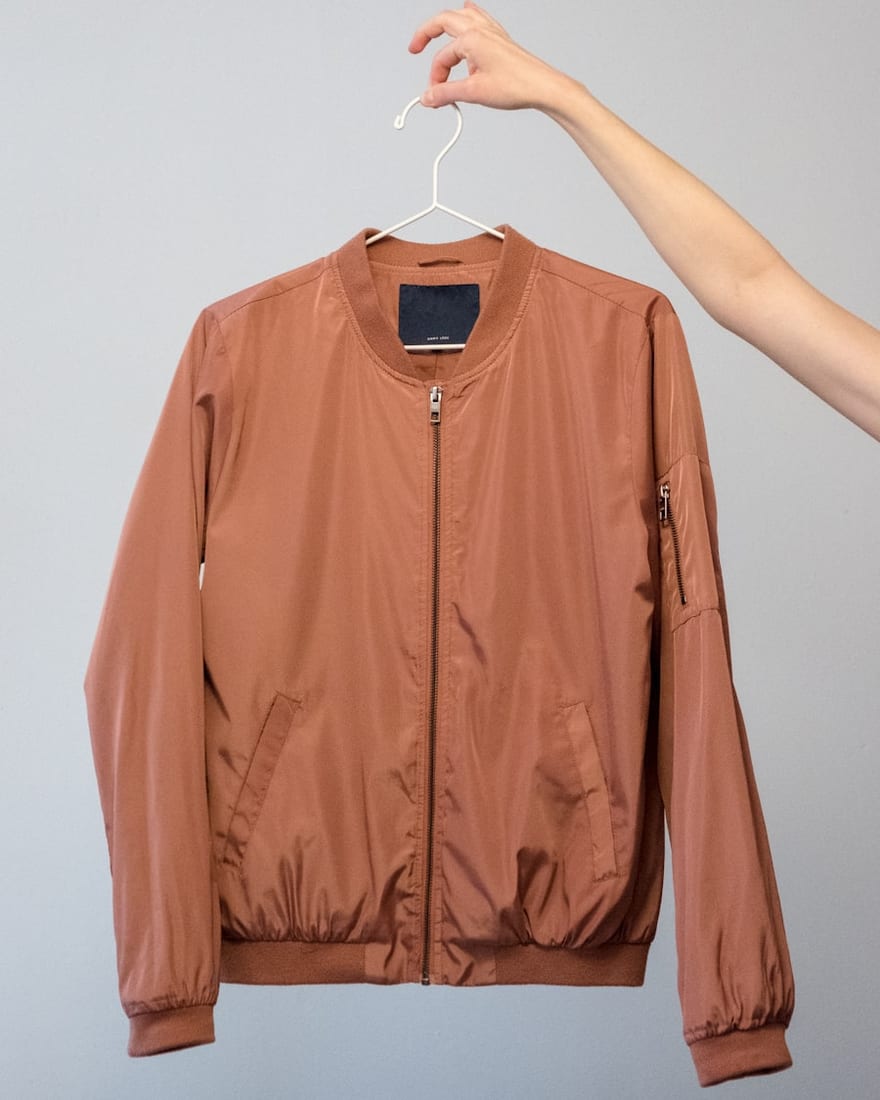
 Quick addArden Linen Overshirt$124.003 colours
Shopify store development
Shopify store development services built around how your customers buy
A good Shopify store is not a theme with products dropped into it. We plan the catalogue, navigation, product pages, apps and checkout around the way customers decide and the way your team actually runs the business.
- Mobile-first storefronts
- Shopify theme development built around your brand
- Your Shopify account stays yours

Start with the buying journey
A Shopify development company should plan before it builds
A theme can make a store look finished before the hard decisions are made. We start with the catalogue, the buyer journey and the operating rules. That tells us what the navigation must do, which templates are needed and where custom development is actually worth paying for.
What the store needs to get right
-
Shopify themes
The theme is the foundation. We choose or shape it around your catalogue, brand and editing needs.
-
Liquid development
Custom sections and templates use Shopify’s Liquid template language where theme settings stop being enough.
-
Navigation
Menus use the language customers use, with a clear place for new products as the catalogue grows.
-
Collection structure
Filters, sorting and product groups narrow a choice instead of making the range feel harder to browse.
-
Product presentation
Images, options, specifications, delivery and returns appear in the order buyers usually need them.
-
Mobile usability
The store is designed for phone-sized decisions first, then expanded for larger screens.
-
Checkout customisation
Payment, shipping, tax and checkout settings are configured around the plan, market and selling model you use.
-
App integration
Apps are chosen for a real operational need, then connected without turning the store into a stack of overlapping tools.
From browse to buy
A Shopify store setup service should remove friction at every step
Customers rarely experience a store as one big website. They move through a handful of decisions. Good development makes each screen answer the next question without sending the shopper backwards or forcing them to hunt for basic information.
-
01
Collection
This is where many shoppers first meet the range. Filters, sorting and product cards should make comparison quick: price, colour, size, availability and the differences that matter in your category. The collection page should help a customer narrow the choice before they open a product.
-
02
Product
The product page has to finish the job the collection page started. We structure media, options, specifications, delivery, returns and supporting content around the questions buyers ask before they pay. Reusable product templates keep that information consistent across the catalogue.
-
03
Cart
The cart confirms the choice and removes surprises. Quantity changes, delivery expectations, discounts and the route to checkout should be easy to understand. If an extra charge or missing detail appears here, it can undo all the work the product page has already done.
-
04
Checkout customisation
Checkout is configured around how you sell. That can include Shopify Payments where it is available and appropriate, supported payment methods, shipping rates, taxes, customer notifications and plan-specific checkout options. We keep the scope practical, because the goal is a checkout customers trust and your team can maintain.

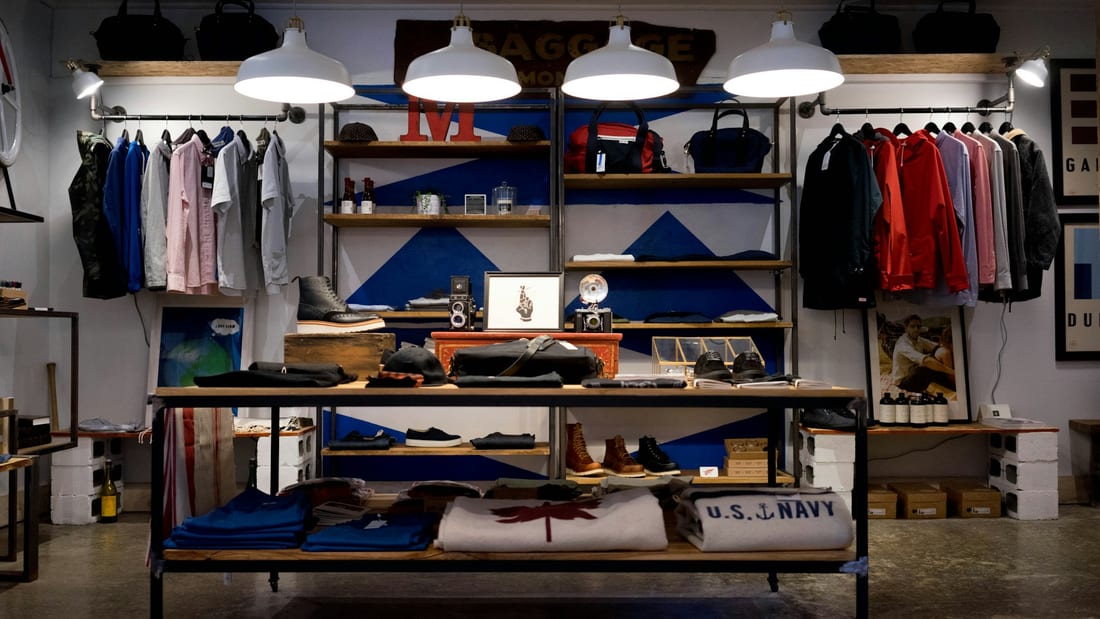
When the theme is not enough
Hire Shopify Experts for the Work That Needs Real Development
Some stores only need a careful theme setup. Others need custom behaviour, reusable sections, deeper integrations or a Shopify Plus build with more complex requirements. The point is to know the difference before development starts, so custom code solves a real problem instead of becoming one.

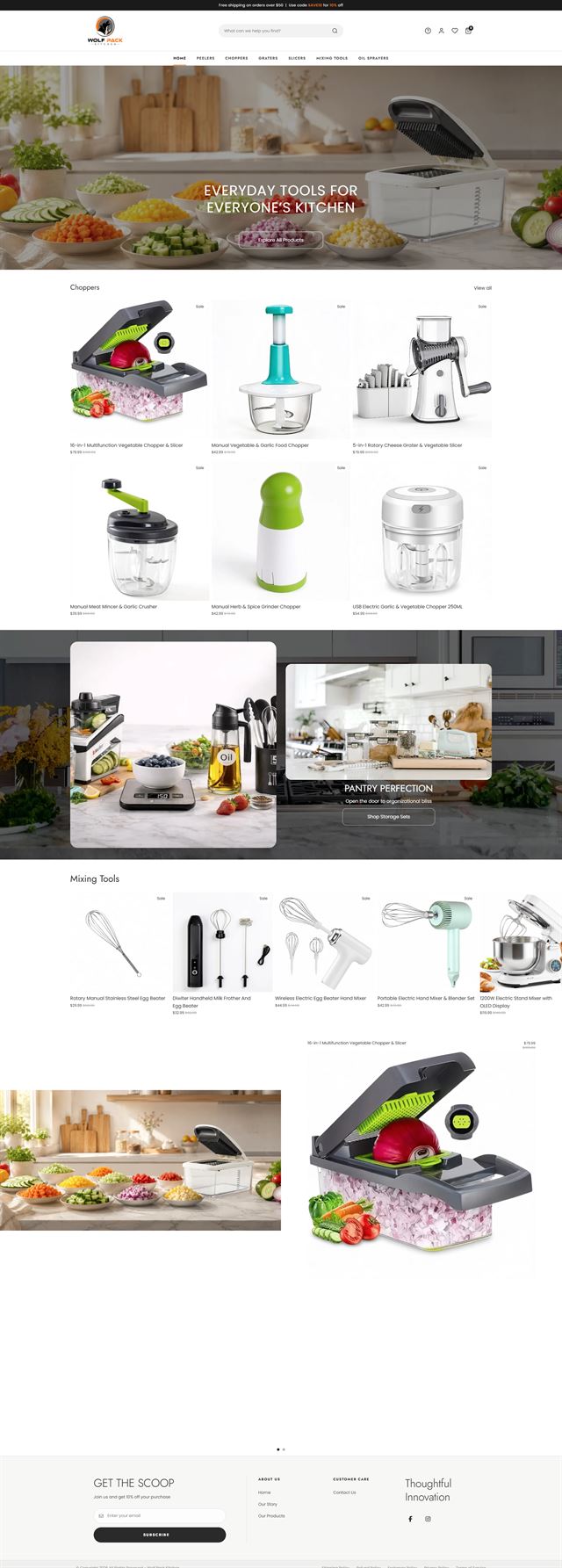
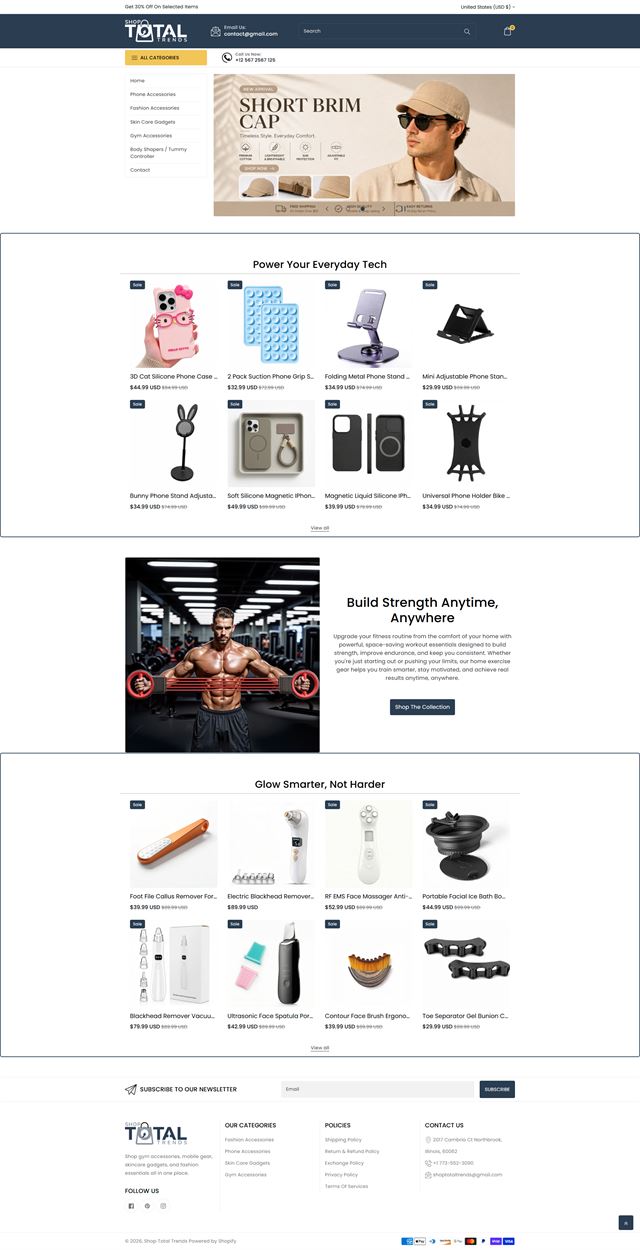
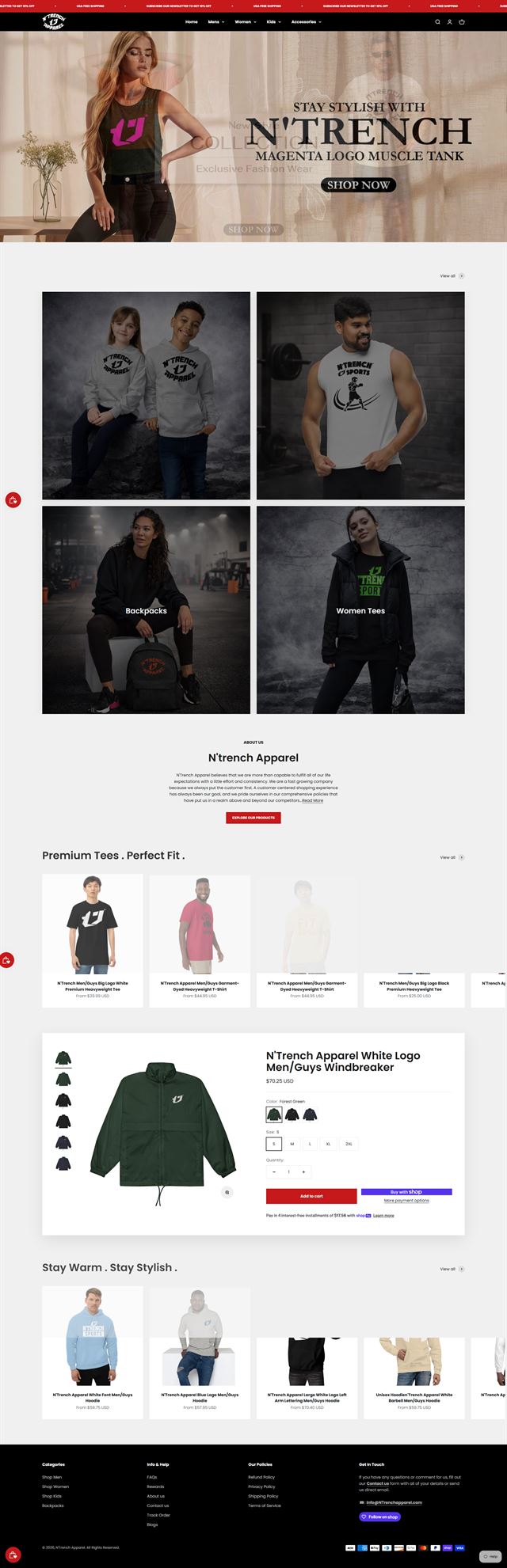
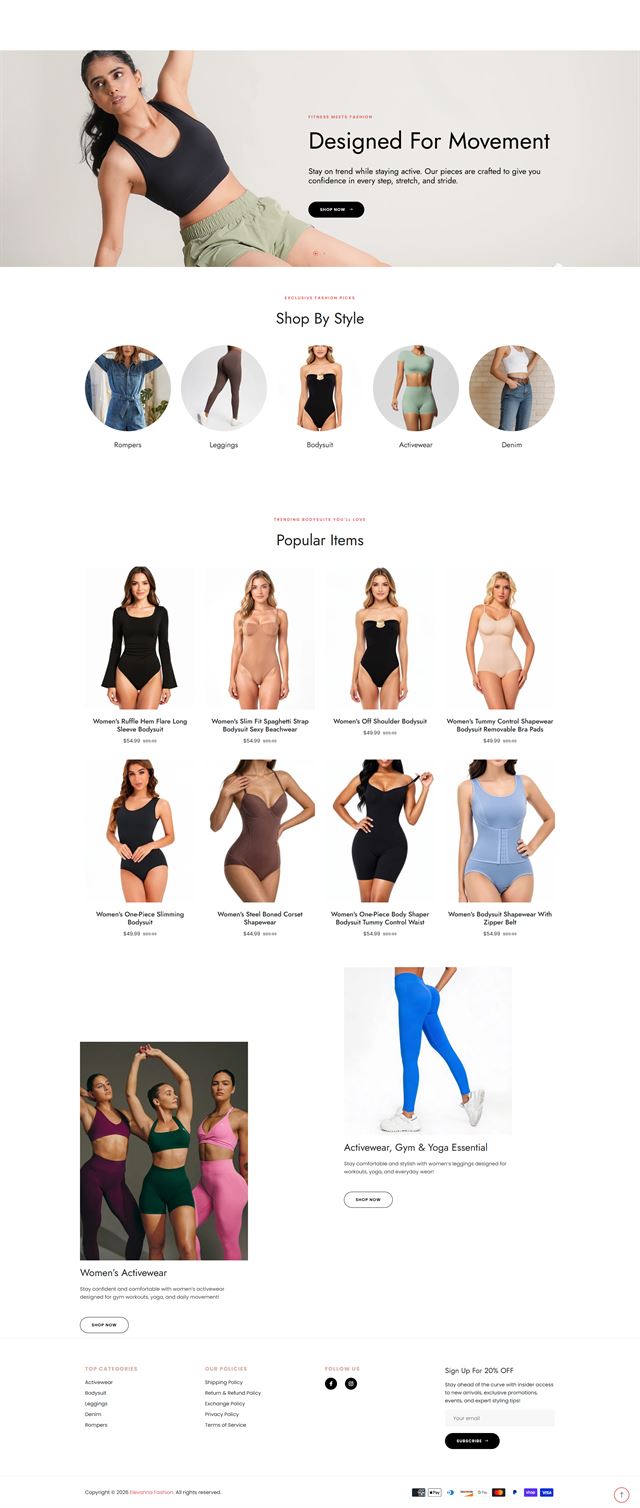
Selected Shopify work
See how different brands take shape on Shopify
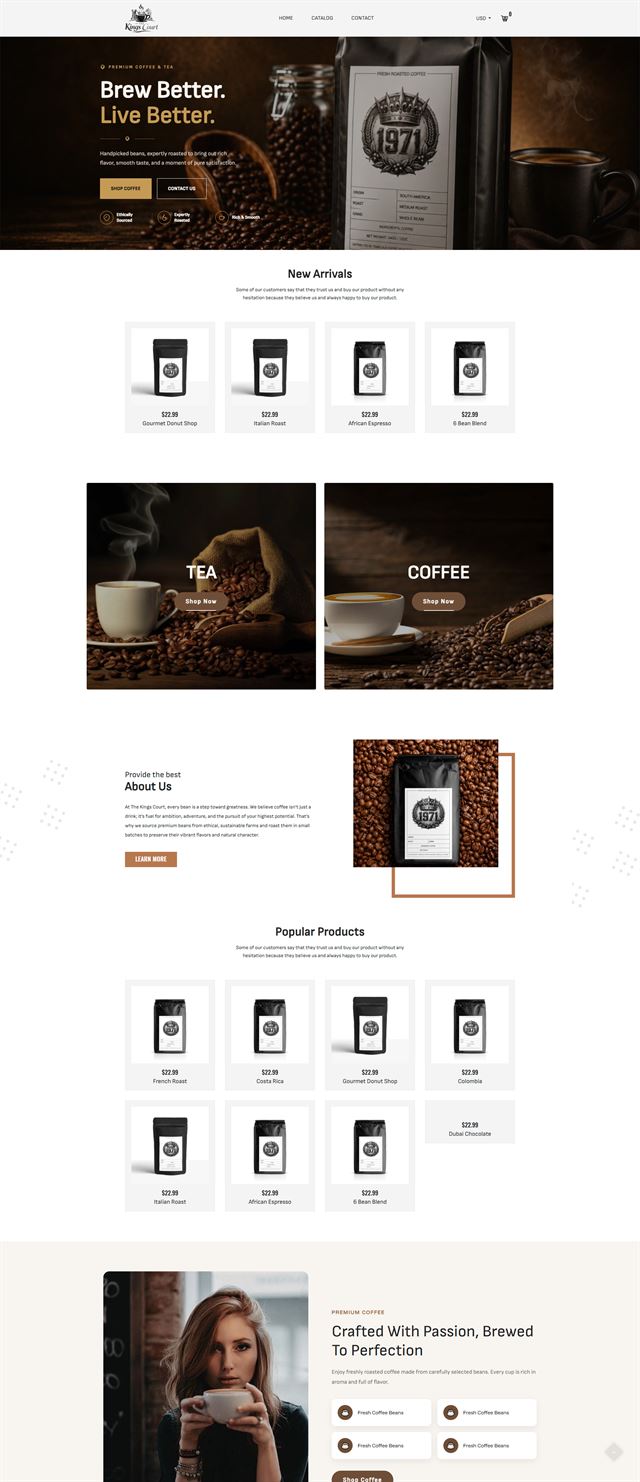
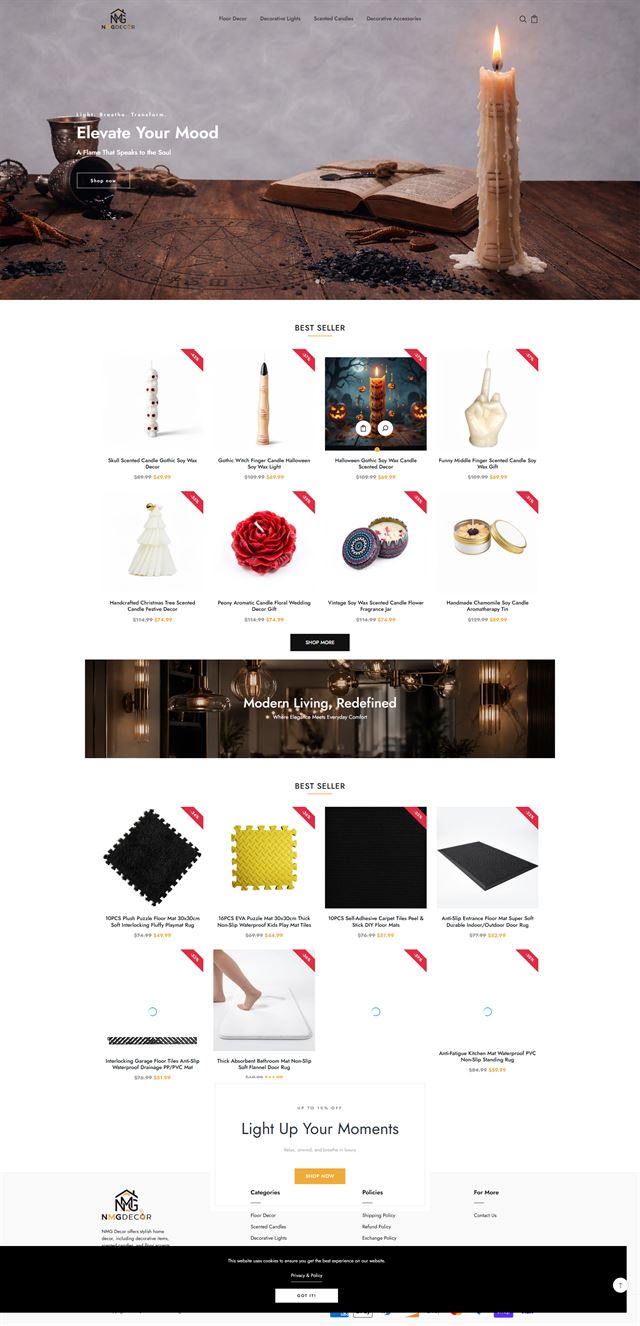
Our Shopify portfolio shows how the same platform can support very different products, audiences and ways of selling. Some stores need a cleaner collection structure and stronger product pages. Others call for custom Shopify themes, Liquid development, app integration, checkout configuration, or a full store migration to Shopify. The work shown here reflects that range. We design each storefront around the catalogue, the buying journey, and the way the business actually operates behind the scenes, rather than forcing every brand into the same template. That can mean building reusable product sections, connecting tools from the Shopify App Store, preparing a growing business for Shopify Plus, or simplifying an existing setup that has become difficult to manage. The visual style changes from project to project, but the goal stays practical: a store that looks right for the brand, makes sense to the customer, and remains manageable for the team after launch.
Before development
The decisions to make before the first line of Liquid
Most expensive rebuilds begin as unanswered questions. We settle the catalogue structure, customer needs, theme direction, integrations and ownership first. Once those choices are written down, development has a target instead of a collection of assumptions.
Your catalogue, variants and product data
A store with a few one-off products behaves differently from a catalogue with hundreds of variants. We review what you sell, which attributes matter, how products should be grouped and what data already exists. That determines collections, templates, filters and how much setup can be automated.
Discuss your store
How your customer chooses
Different products need different proof. A fashion buyer may care about fit and fabric, while a technical buyer may need compatibility and specifications. We identify the questions that hold up a purchase and design the product template to answer them before the customer has to ask.
Discuss your store Shopify themes and content rules
The theme needs a clear content system behind it. We define which sections are reusable, what belongs in metafields, how campaign content is added and which parts of the layout should stay fixed. That gives the brand consistency without making every page identical.
Discuss your store App integration and the Shopify App Store
The Shopify App Store can solve real gaps, but installing an app is not the same as designing an integration. We map each tool to a job such as reviews, email, inventory, subscriptions or support, then check what data moves between systems and who will maintain it after launch.
Discuss your store Shopify Payments, shipping and tax
Payments and fulfilment rules belong in the build plan, not at the end of it. We configure Shopify Payments where it fits and is available, connect supported alternatives when needed, and set shipping, tax and notification rules around the markets you serve.
Discuss your store Ecommerce development across leading platforms and marketplaces
We provide ecommerce store development across leading platforms and marketplaces, including Shopify, WooCommerce, WordPress, BigCommerce, Magento, Wix, Squarespace, Webflow, OpenCart, Drupal, Joomla, eBay, Etsy and TikTok Shop. Whether you need a new store, a redesign, a migration or help improving an existing storefront, we shape the structure, product experience and integrations around the way each platform works so customers can browse and buy with less friction while your team has a store that is practical to manage.
-
 Shopify
You are here
Shopify
You are here
-
 WooCommerce
Store development
WooCommerce
Store development
-
 WordPress
Ecommerce development
WordPress
Ecommerce development
-
 BigCommerce
Store development
BigCommerce
Store development
-
 Magento
Store development
Magento
Store development
-
 Wix
Ecommerce development
Wix
Ecommerce development
-
 Squarespace
Ecommerce development
Squarespace
Ecommerce development
-
 Webflow
Ecommerce development
Webflow
Ecommerce development
-
 OpenCart
Store development
OpenCart
Store development
-
 Drupal
Ecommerce development
Drupal
Ecommerce development
-
 Joomla
Ecommerce development
Joomla
Ecommerce development
-
 eBay
Store development
eBay
Store development
-
 Etsy
Shop development
Etsy
Shop development
-
 TikTok Shop
Shop development
TikTok Shop
Shop development
How we build
From Shopify strategy to launch
The work moves in a clear sequence so design, development and data do not collide at the end of the project.
-
01
Discovery
We review the business, catalogue, customers, current systems and the reason for the build. The scope starts with what the store needs to do, not with a theme demo.
-
02
Store architecture
Navigation, collections, page hierarchy and key buying paths are agreed before visual design or development makes them expensive to change.
-
03
Theme direction
We choose the Shopify theme approach, define the interface rules and decide which areas need custom sections, templates or stronger product presentation.
-
04
Theme development and Liquid
Theme configuration, reusable sections and Liquid development are built around the approved structure, with routine content kept editable in Shopify.
-
05
Products, apps and payments
Products, collections, metafields, app integration, Shopify Payments or supported alternatives, shipping and connected systems are configured against the agreed scope.
-
06
Testing
We test mobile and desktop journeys, variants, filters, forms, cart behaviour, redirects, integrations and the paths that move a customer into checkout.
-
07
Launch
Domains, analytics, notifications, policies and final settings are checked before the storefront goes live. Your team receives the access and handover information it needs to operate the store.
-
08
Refine
After launch, real customer behaviour shows where the next improvements belong. We use that evidence to prioritise changes instead of rebuilding sections because a trend or app happens to be popular.
Questions
What to know before you hire a Shopify development company
Practical answers to the questions that usually come up before a Shopify build is scoped.
-
The scope can cover store architecture, Shopify theme setup or theme development, Liquid development, product and collection setup, app integration, payment and shipping configuration, testing, launch and migration work. The exact list is agreed before development begins.
-
Yes. We first separate what is working from what is causing friction. A redesign may focus on navigation, collections, product templates, mobile usability, theme code or integrations rather than replacing the whole store for the sake of a new look.
-
Yes, when the project needs custom theme development. In many cases, a strong Shopify theme with well-planned sections and Liquid development is the better route because it keeps the update path cleaner and everyday editing simpler for your team.
-
Yes. We can plan and carry out store migration to Shopify for products, collections, customers, content and URL redirects. The migration scope depends on the source platform, catalogue quality, integrations and what should be rebuilt rather than copied.
-
Yes. We handle app integration for functions such as reviews, email, inventory, subscriptions, support and analytics. We also check whether Shopify already covers the requirement before adding another paid tool your team will have to maintain.
-
Yes. Product data, variants, collections, metafields, images and payment configuration can all sit inside the build scope. Shopify Payments can be configured where it is available and appropriate for the business, with supported alternatives considered when needed.
-
Yes. We can scope Shopify Plus projects around the requirements that justify the platform, including more complex storefronts, integrations, workflows and plan-specific features. The build still starts with the same question: what does the business actually need the store to do?
-
Yes. The store is built in your Shopify account. Your product data, customer relationships and approved creative remain yours, and our access can be removed without changing your ownership of the store.
-
Timing depends on catalogue size, theme development, Liquid work, app integration, migration needs, content readiness and how quickly approvals are returned. We give you a schedule against the agreed scope instead of forcing every store into the same timeline.
Ready to build?
Turn your Shopify plan into a store your team can run
Whether you are launching from scratch, moving from another platform or rebuilding an existing store, we can map the buying journey, choose the right Shopify theme approach, develop what needs to be custom and prepare the store for launch.
No pressure on the call. We will explain what we would build, what we need from you and whether the service is a sensible fit.