
 Quick addArden Linen Overshirt$124.003 colours
WordPress store development
WordPress ecommerce development services built around how your site sells
We build WordPress ecommerce stores around the site you already have, the products you want to sell and the way your team works. Content, catalogue and checkout live inside one CMS, on hosting you control, with a setup your team can keep editing after launch.
- Content and commerce on one WordPress site
- WooCommerce setup shaped to your catalogue
- Your hosting, database and store stay yours
WordPress online store development
Build the store into the site, not beside it
A WordPress store works best when the shop feels like part of the website people already understand. We plan the route from articles and landing pages into categories, products, cart and checkout, then make sure the same navigation still works for someone who arrives ready to buy. That structure matters more than installing a commerce plugin and hoping the pieces line up.
What the store has to get right
-
Information architecture
Products, buying guides, categories and editorial content need clear places to live.
-
Product organisation
Variants, attributes and naming rules are agreed before the catalogue starts growing.
-
Navigation
Menus use the language customers look for instead of the labels used inside the business.
-
Category structure
Each category should narrow a choice rather than repeat the full catalogue.
-
Product presentation
Images, price, options, delivery and useful detail appear in the order buyers need them.
-
Mobile usability
The store is checked at phone width first because that is where crowded layouts fail fastest.
-
Checkout flow
Payments, shipping, tax and account choices are configured around the way you actually trade.
-
Plugin ecosystem
Only the plugins the store needs are installed, configured and kept accountable to a clear job.
The customer journey
Four screens carry most of the sale
A customer can enter through dozens of pages, but the buying decision usually tightens across four screens. Each one should answer the next question without making the shopper stop and work out what to do.
-
01
Collection
The category or collection page has one job: help people narrow the range. Filters should reflect the attributes customers actually compare, product cards should make price and availability easy to scan, and the grid should not hide useful differences behind vague labels. If the catalogue is hard to read here, shoppers rarely fix that problem by opening more tabs.
-
02
Product
The product page carries the questions that decide whether someone is ready to buy. Images, price, options, stock and delivery belong near the top. Specifications, sizing, compatibility, returns and longer explanations can follow in a sensible order. We build the template once, then use fields and reusable blocks so new products do not become one-off page-design projects.
-
03
Cart
The cart should confirm the choice, make quantity changes easy and show the costs a customer needs before checkout. Shipping surprises are expensive here. We configure the cart so the next step is obvious and so customers can correct an order without losing the route they have already taken.
-
04
Checkout
WordPress gives you control over the commerce layer, but that control has to be configured carefully. With WooCommerce, the custom checkout can reflect the payment methods, shipping zones, tax rules and account choices your business needs. We test those routes before launch, including failed payments and edge cases, because a checkout that looks finished can still break when a real order reaches it.

After launch
Hire a WordPress Ecommerce Developer For the Parts That Keep Changing
Launching the store is one milestone. The catalogue, campaigns, plugins and WordPress core will keep changing after that. The build should make ordinary updates easy for your team and leave the genuinely technical work clear enough for a developer to pick up without unpicking the site first.
Selected WordPress ecommerce work
WordPress stores built around the business behind them
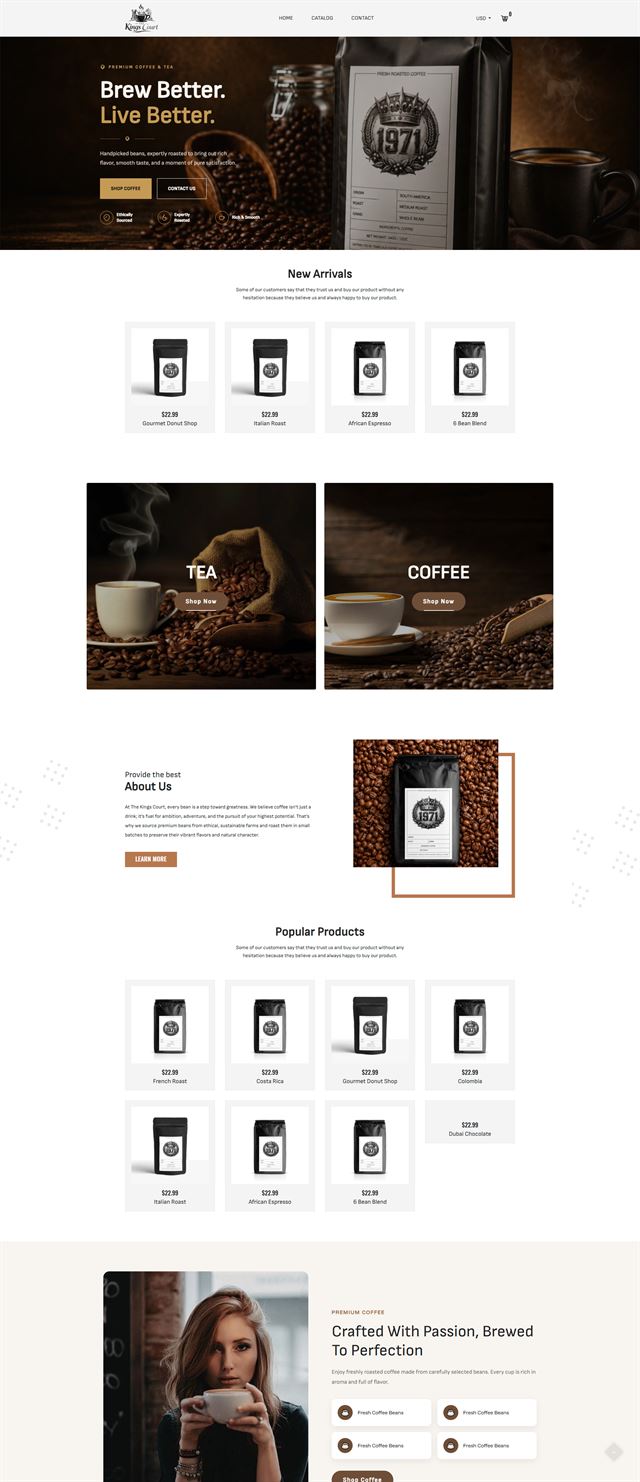
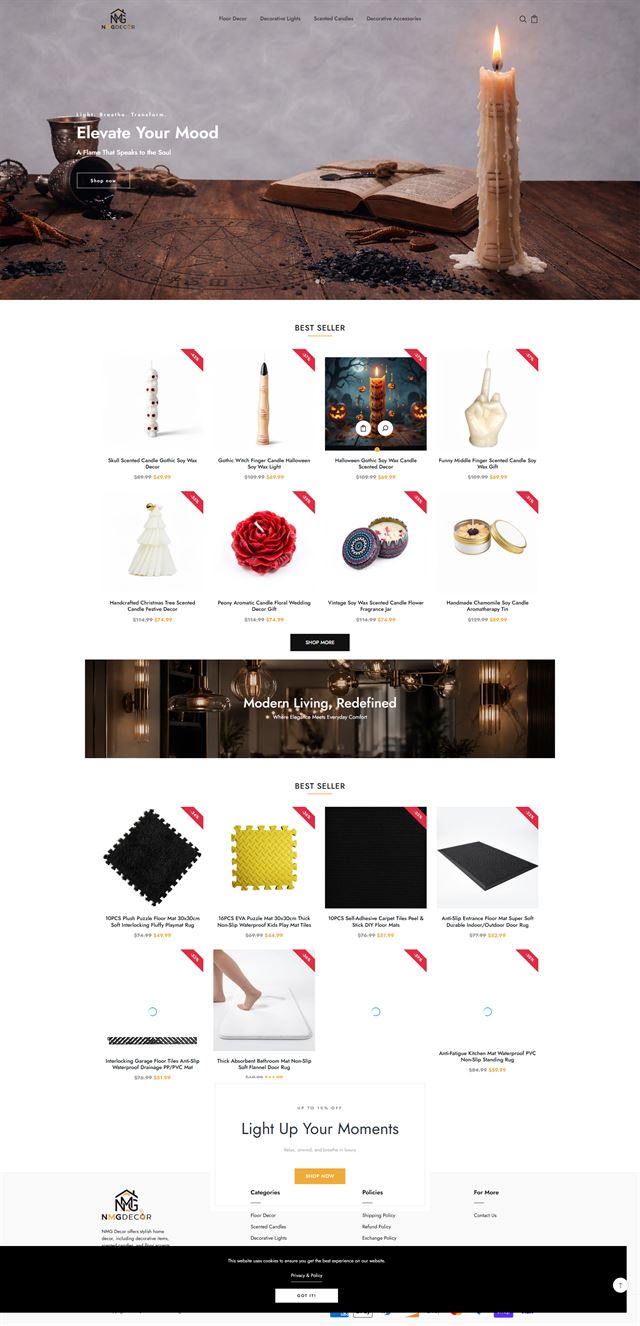
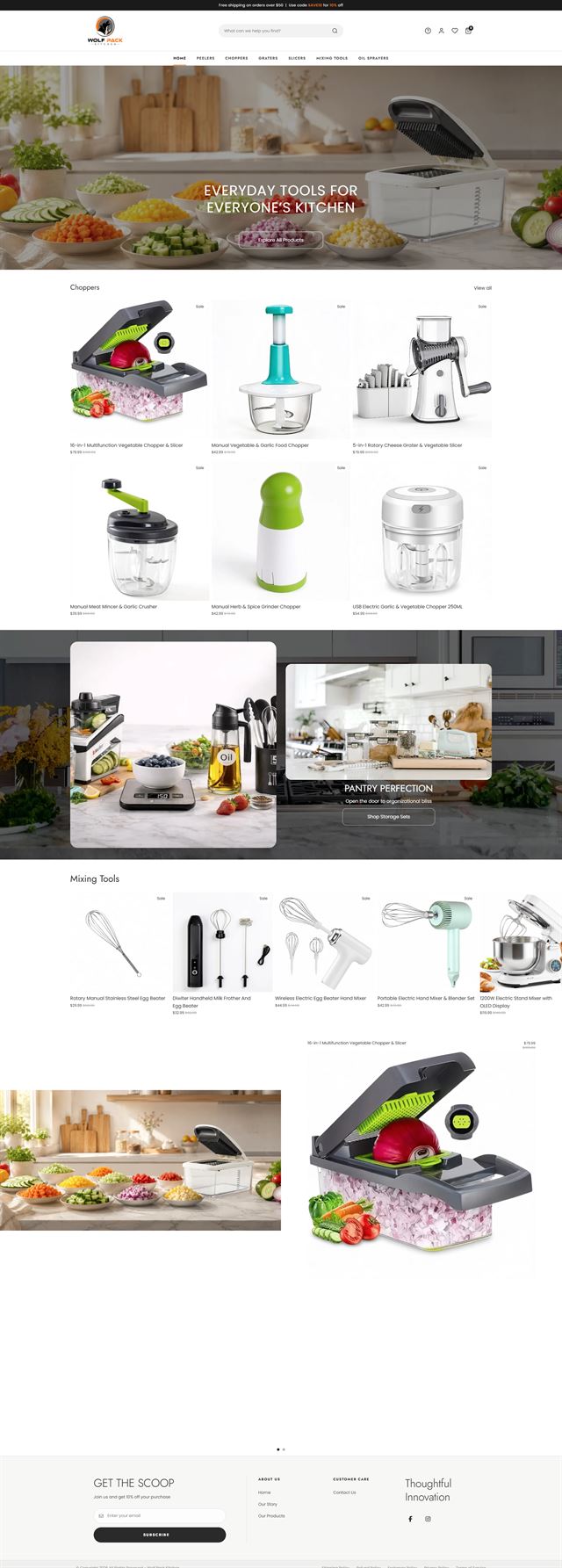
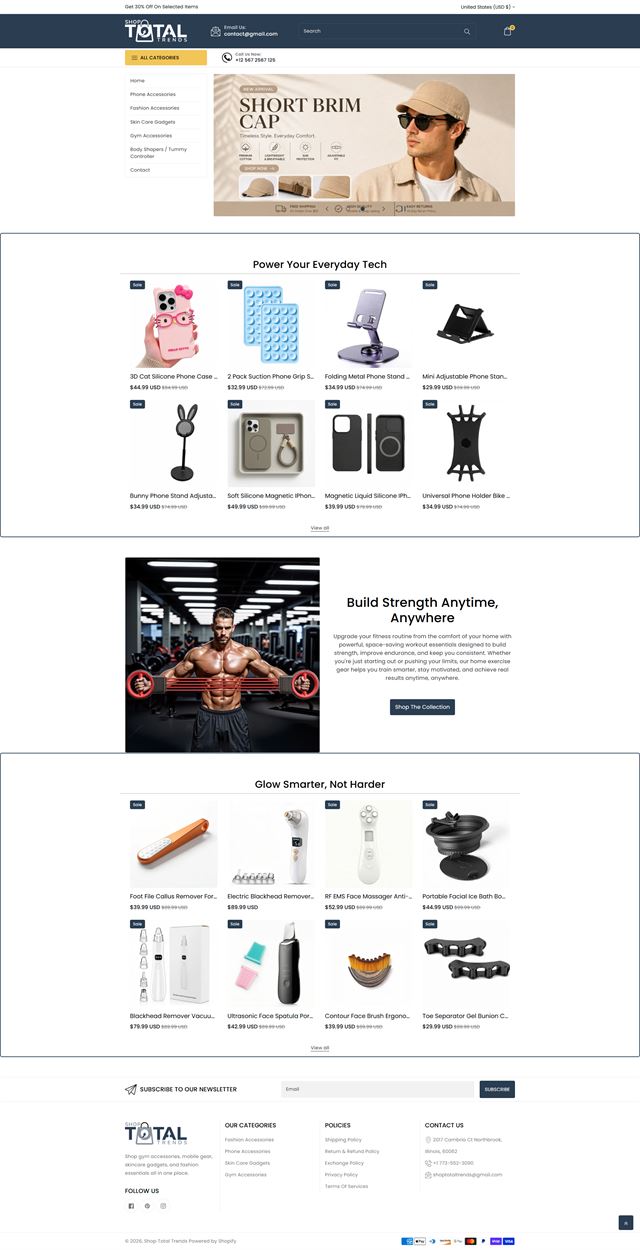
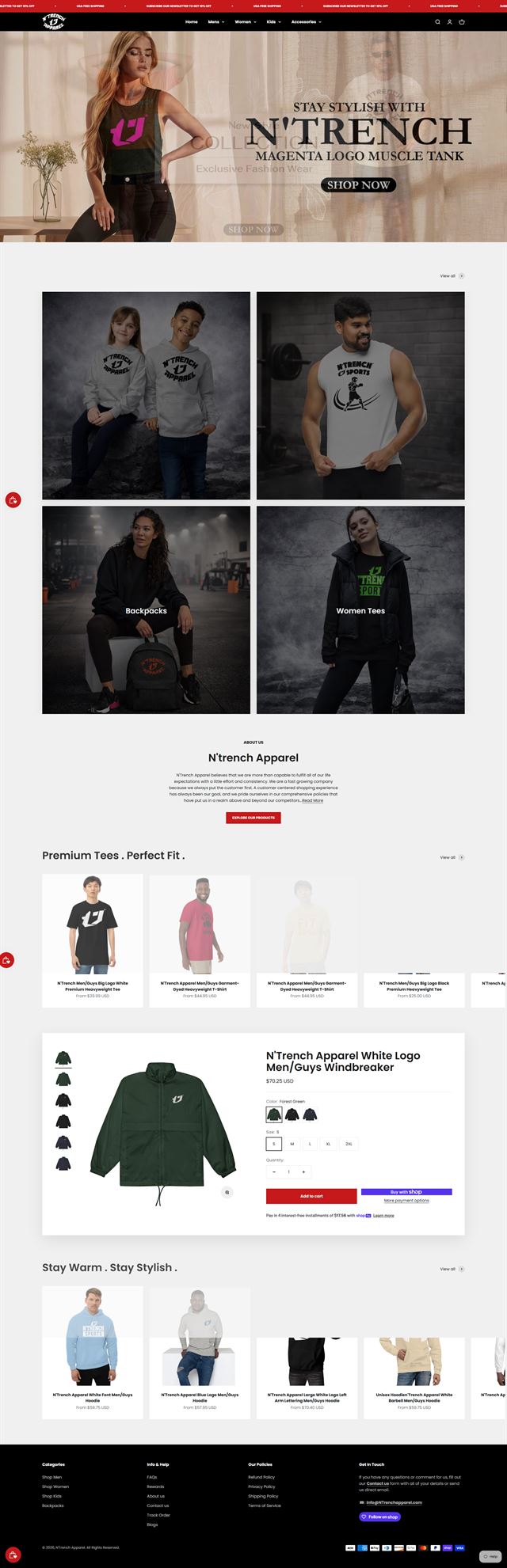
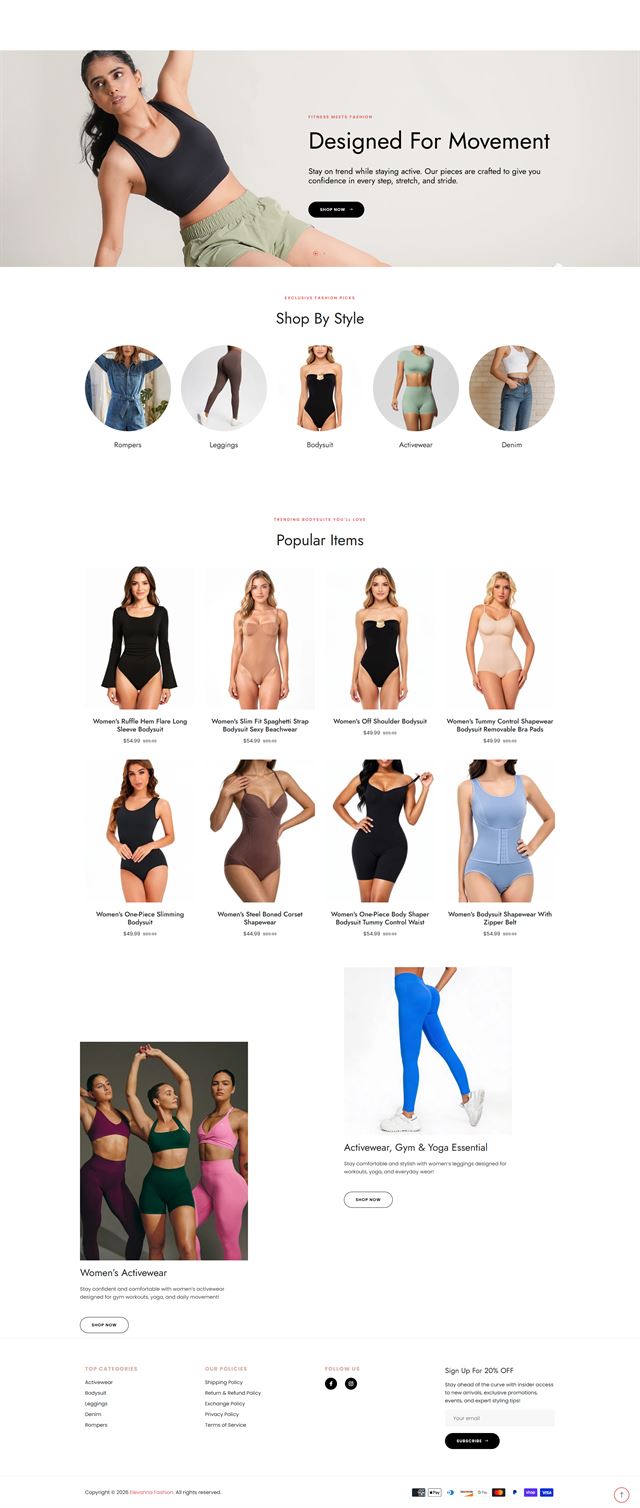
The work shown here is the practical side of our WordPress ecommerce development services. These projects combine content, catalogue and checkout in different ways, because each business has a different publishing rhythm, product range and internal workflow. The portfolio is there to show that range, not a single template repeated with new colours. Some stores begin with an established WordPress audience and need WooCommerce setup added without disturbing the content people already find. Others need a new theme, product templates and a cleaner route between editorial pages and the catalogue. We plan custom themes, plugin work, checkout behaviour and integrations around the real job each store has to do. We also keep the less visible parts in view: self-hosted control, clean data and site speed. The visual direction changes from project to project. In every case, the store should feel native to the brand, make sense to customers and remain practical for the team that runs it after launch.
Before the build
How to add a store to WordPress without rebuilding what already works
If your current WordPress site already has useful content, search visibility or an established audience, replacing it just to add ecommerce can create more problems than it solves. We audit what is worth keeping first, then plan the commerce layer around the existing site so the store strengthens the CMS instead of competing with it.
WooCommerce setup starts with the catalogue
WooCommerce setup starts well before anything is installed. We first look at how many products you have, how variants behave, which attributes customers compare and whether the catalogue needs subscriptions, digital delivery, bundles or other special rules. Those answers decide the category structure, product fields and extension choices before data starts moving into the store.
Discuss your store
Buyers need different answers in different categories
A customer buying apparel may need fit, fabric and returns near the top of the page. Someone buying a technical product may care more about compatibility, dimensions or a specification table. We identify those decision points before the product template is finalised so the same template can support the whole range without burying the information that closes the sale.
Discuss your store Custom themes should fit the content model
Custom themes are useful when the existing theme cannot express the brand or the content model cleanly. That does not mean rebuilding WordPress from the ground up. We use reusable blocks, template parts and clearly defined product layouts so editors can still publish without calling a developer for ordinary changes. The design should give the team more control, not less.
Discuss your store The plugin ecosystem should stay small
WordPress has a large plugin ecosystem, which is useful until several plugins start solving the same problem. We choose extensions against specific jobs such as payments, shipping, subscriptions, search, reviews or email. If a requirement is too specific for a reliable extension, custom development may be cleaner than stacking several plugins together. Every plugin we add also adds an update and testing responsibility, so restraint usually makes the store easier to maintain.
Discuss your store Self-hosted control starts with hosting
A self-hosted store needs hosting that matches the catalogue, traffic and integrations it is expected to carry. We build on infrastructure in your name, use staging for development and agree backups before launch. Access is granted through individual WordPress accounts rather than shared administrator credentials. That keeps ownership simple and gives your team a clean route to change access later.
Discuss your store Ecommerce development across leading platforms and marketplaces
We provide ecommerce store development across leading platforms and marketplaces, including Shopify, WooCommerce, WordPress, BigCommerce, Magento, Wix, Squarespace, Webflow, OpenCart, Drupal, Joomla, eBay, Etsy and TikTok Shop. Whether you need a new store, a redesign, a migration or help improving an existing storefront, we shape the structure, product experience and integrations around the way each platform works so customers can browse and buy with less friction while your team has a store that is practical to manage.
-
 Shopify
Store development
Shopify
Store development
-
 WooCommerce
Store development
WooCommerce
Store development
-
 WordPress
You are here
WordPress
You are here
-
 BigCommerce
Store development
BigCommerce
Store development
-
 Magento
Store development
Magento
Store development
-
 Wix
Ecommerce development
Wix
Ecommerce development
-
 Squarespace
Ecommerce development
Squarespace
Ecommerce development
-
 Webflow
Ecommerce development
Webflow
Ecommerce development
-
 OpenCart
Store development
OpenCart
Store development
-
 Drupal
Ecommerce development
Drupal
Ecommerce development
-
 Joomla
Ecommerce development
Joomla
Ecommerce development
-
 eBay
Store development
eBay
Store development
-
 Etsy
Shop development
Etsy
Shop development
-
 TikTok Shop
Shop development
TikTok Shop
Shop development
How we build
From existing WordPress site to working store
Eight stages move the project from decisions on paper to a store your team can operate.
-
01
Discovery
We review the business, the current WordPress site, the catalogue, the content and the way orders need to move through the operation.
-
02
Site and store architecture
Navigation, categories, content routes and page hierarchy are agreed before templates are built, while changes are still quick to make.
-
03
Theme direction
We define how the theme should handle product pages, editorial content, campaigns and responsive states without making the block editor hard to use.
-
04
WordPress ecommerce development
We build or adapt the theme, configure WooCommerce where it fits, create reusable blocks and connect any custom functionality the store genuinely needs.
-
05
Products and integrations
Products, categories, payments, shipping, tax, email and the systems already used by the business are configured and connected.
-
06
Performance and testing
We check site speed, mobile and desktop journeys, forms, variants, cart behaviour, checkout routes and the integrations that support an order.
-
07
Launch
The domain, analytics, policies, notifications and production settings are checked, then the store goes live with a defined first-week plan.
-
08
Refine
Real behaviour replaces assumptions. We use the first round of customer and operational feedback to decide what should change next.
Questions
Before you hire a WordPress ecommerce developer
The questions clients usually need answered before a WordPress ecommerce build starts.
-
We decide from the products and the operation rather than treating WooCommerce as an automatic choice. It works well for many WordPress stores, especially when content and commerce need to live together, but the catalogue, payment model and maintenance needs still come first.
-
Yes. We can plan the site architecture, theme, commerce layer, product structure and integrations on new WordPress hosting in your name. The scope is agreed before development starts, including what content and product data you will supply and what we will prepare.
-
We audit the existing theme, navigation, content model, plugins and hosting first. Then we add the store in a way that keeps useful URLs and content intact, connects products to the pages people already visit and avoids creating a separate ecommerce site beside the one you already own.
-
Yes. We usually start with the parts causing friction, such as category structure, product templates, mobile behaviour, checkout or an overloaded plugin stack. A redesign does not have to mean throwing away every part of the current site.
-
Yes, when the site needs it. We may adapt a well-maintained theme, build a child theme or create a more custom block-based approach. The choice depends on the design, the content model and how much control your team needs inside WordPress after launch.
-
As few as the store genuinely needs. We prefer one reliable plugin with a clear job over several overlapping tools. A smaller stack is easier to test after WordPress updates and usually gives us more room to protect site speed and troubleshoot problems when they appear.
-
Yes. We can scope the migration of products, variants, categories, customers, orders, content and URL redirects. The plan depends on the platform you are leaving and the quality of the existing data, so we map the migration before moving the live store.
-
The store is built on hosting in your name. We can advise on the hosting requirements and discuss ongoing updates, backups and maintenance separately. Because WordPress is self-hosted, someone needs clear responsibility for those tasks after launch.
-
Yes. The WordPress installation, database, approved creative, product data and customer data remain on infrastructure you control. We work with the access you grant us, and you can remove that access without affecting ownership of the site.
-
The schedule depends on the catalogue size, the condition of the existing site, custom functionality, integrations and how ready the content and product data are. We set a timeline against the agreed scope rather than using one standard estimate for every store.
Ready to build?
Bring content and commerce together on WordPress
Whether you are starting a new store, adding ecommerce to a WordPress site that already has an audience, or fixing a store that has become difficult to manage, we can map the structure, build the commerce layer and prepare the site for launch without taking control away from your team.
On the call, we will explain what we would build, what we need from you and whether our WordPress ecommerce development services fit the project.