
 Quick addArden Linen Overshirt$124.003 colours
BigCommerce store development
BigCommerce development services built around how your store actually sells
BigCommerce can do a lot before another app enters the picture. We plan the catalogue, Stencil storefront, search, checkout and multi-channel setup around the way customers buy and the way your team works behind the scenes, so the store stays practical after launch.
- Stencil framework tailored to your brand
- Built-in features used before extra apps
- Multi-channel selling planned from one catalogue
BigCommerce store setup
Start with the buying journey, not the theme
A theme can make a store look finished before the important decisions are made. We start with how shoppers browse, compare, filter and buy. That tells us how the catalogue should be grouped, what faceted search needs from the product data, and where BigCommerce’s built-in features can do the job without another subscription.
What shapes the purchase
-
Information architecture
Where products, content and routes live, with a clear home for anything added later.
-
Product organisation
Names, variants and attributes set as rules before the catalogue starts to grow.
-
Navigation
Menu language built around what customers look for, not how internal stock sheets are organised.
-
Faceted search
Filters powered by clean attributes so shoppers can narrow a large range without dead ends.
-
Product presentation
Reusable templates that put the details buyers need in a predictable order.
-
Mobile usability
Layouts checked at phone width first, where most spacing and interaction problems become obvious.
-
Checkout flow
Payments, shipping, tax and order messaging configured around the way you actually trade.
-
Multi-channel selling
Storefronts, marketplaces and other channels connected to the product source your team maintains.
The buying journey
Four moments should feel like one store
Shoppers should not have to relearn the site at every step. Collection, product, cart and checkout need to answer the next question naturally, with the same product logic carrying all the way through.
-
01
Collection
This is where most shoppers meet the catalogue. Filters, sorting and product cards should make a large range feel easier to understand, not harder. We set categories and facets around the words customers use, then make price, availability, options and the details that matter visible before someone opens a product page.
-
02
Product
A product page should answer the buyer before it creates another question. We organise media, options, price, delivery, specifications and returns in the order people need them. Reusable templates keep that structure consistent across the range while still leaving room for products that need extra detail.
-
03
Cart
The cart confirms the choice and makes the cost of moving forward clear. Quantities, shipping expectations, discounts and totals should be easy to check without sending the shopper backwards. We keep the page focused, then test the paths that can quietly create friction before checkout.
-
04
Checkout
BigCommerce provides the checkout as part of its SaaS platform. We configure payment methods, shipping zones, tax settings and order notifications around how the business trades, then test real purchase paths into it. Custom checkout work is only added when there is a clear reason for it, because familiar checkout behaviour is often the better customer experience.


BigCommerce vs Shopify
Choose the Platform Your Operation Can Live With
Both platforms can run serious ecommerce. The practical difference is how much you expect the platform to handle natively, how much you want to extend through apps, and how complex the catalogue, B2B or multi-storefront setup is. We make the decision against the way your business works rather than a feature checklist.

Selected BigCommerce work
See how different stores take shape on BigCommerce
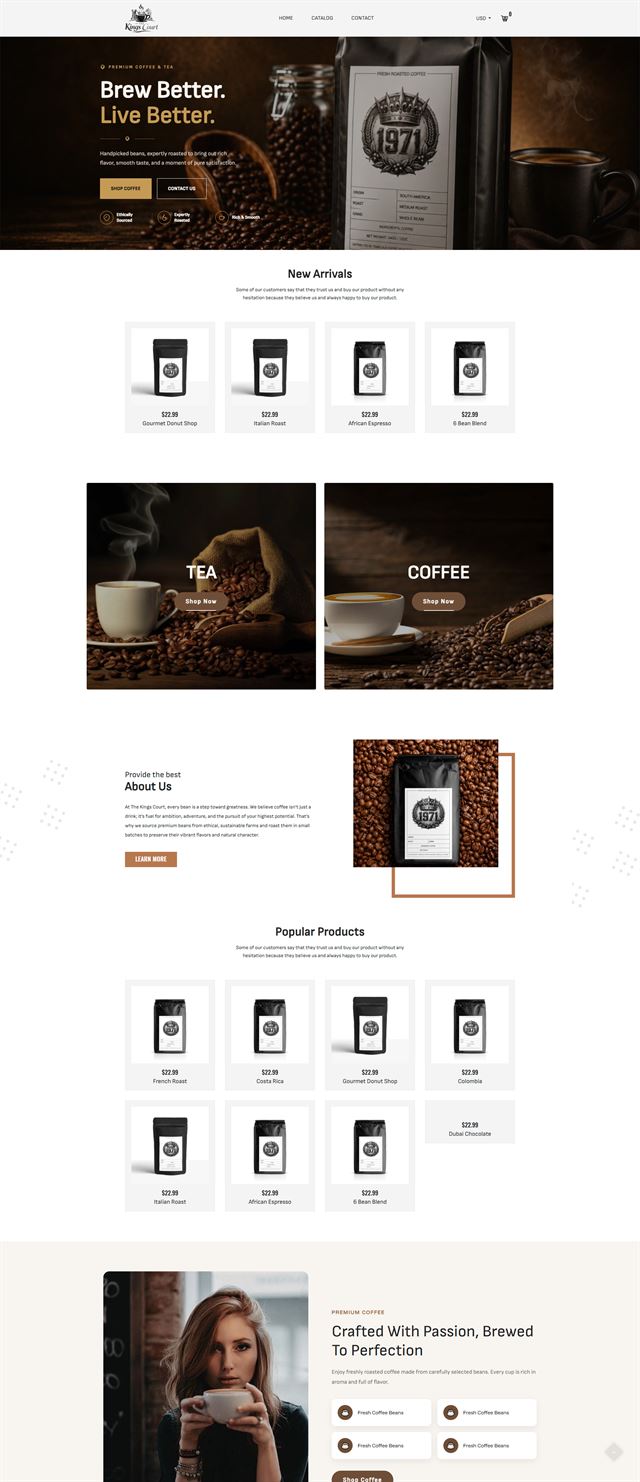
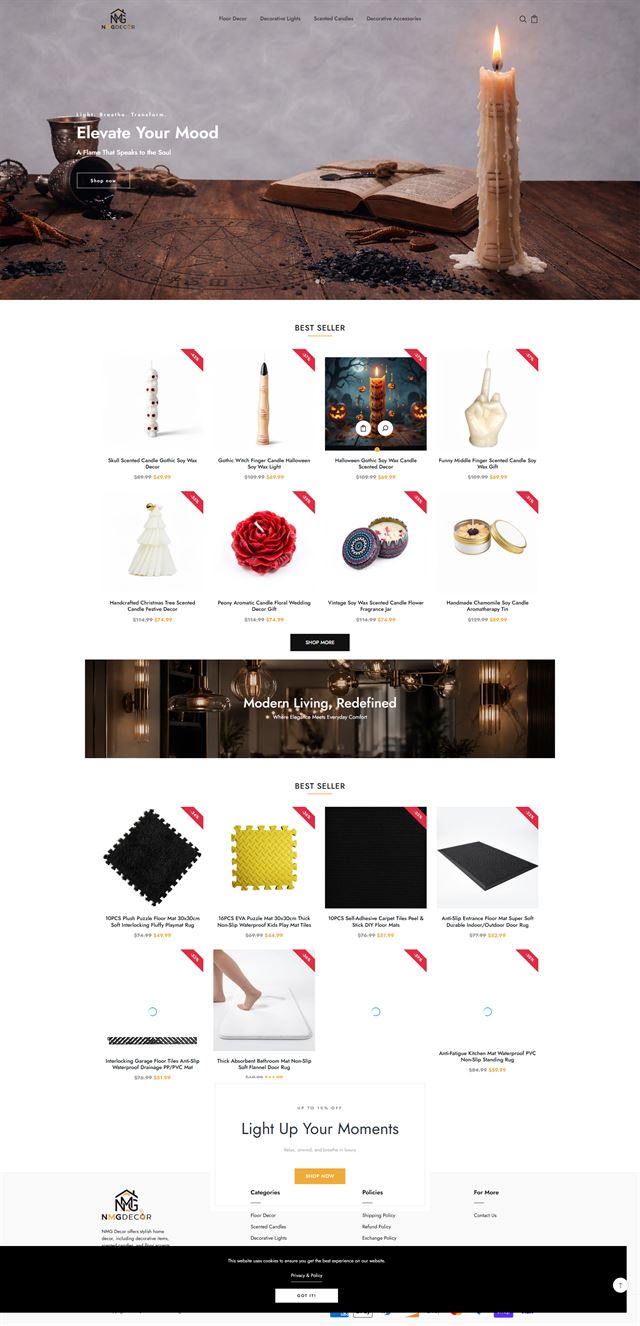
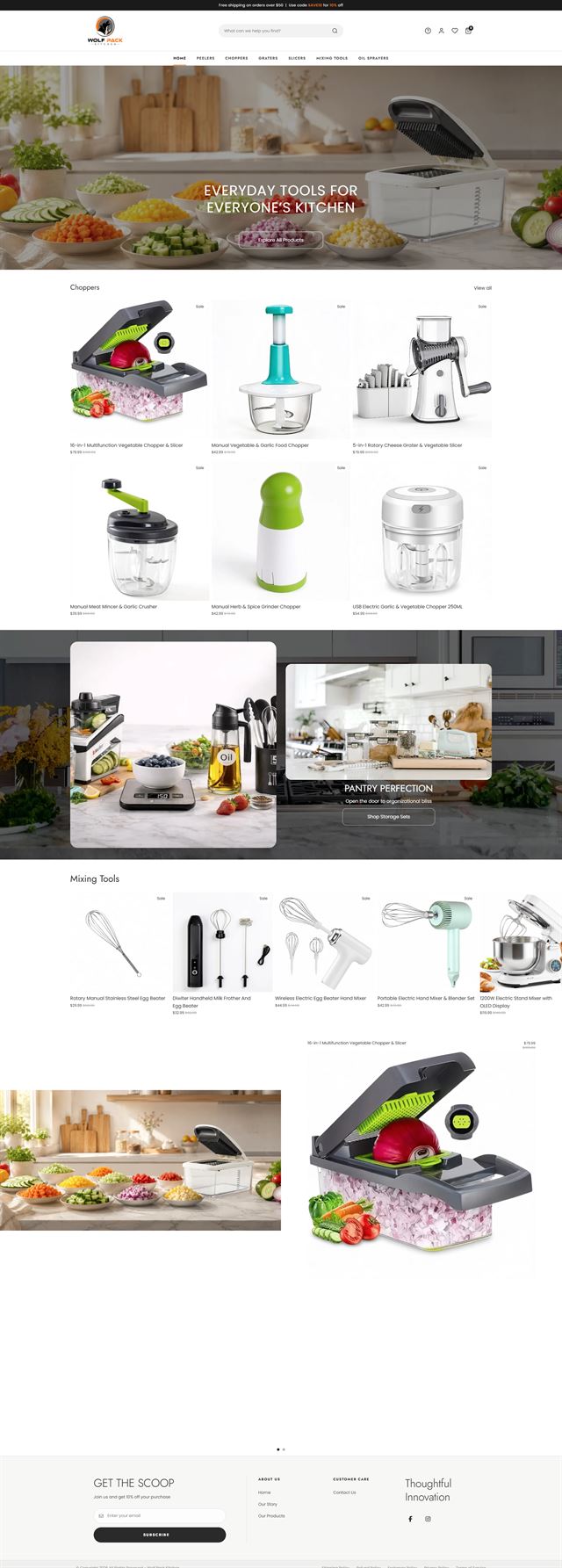
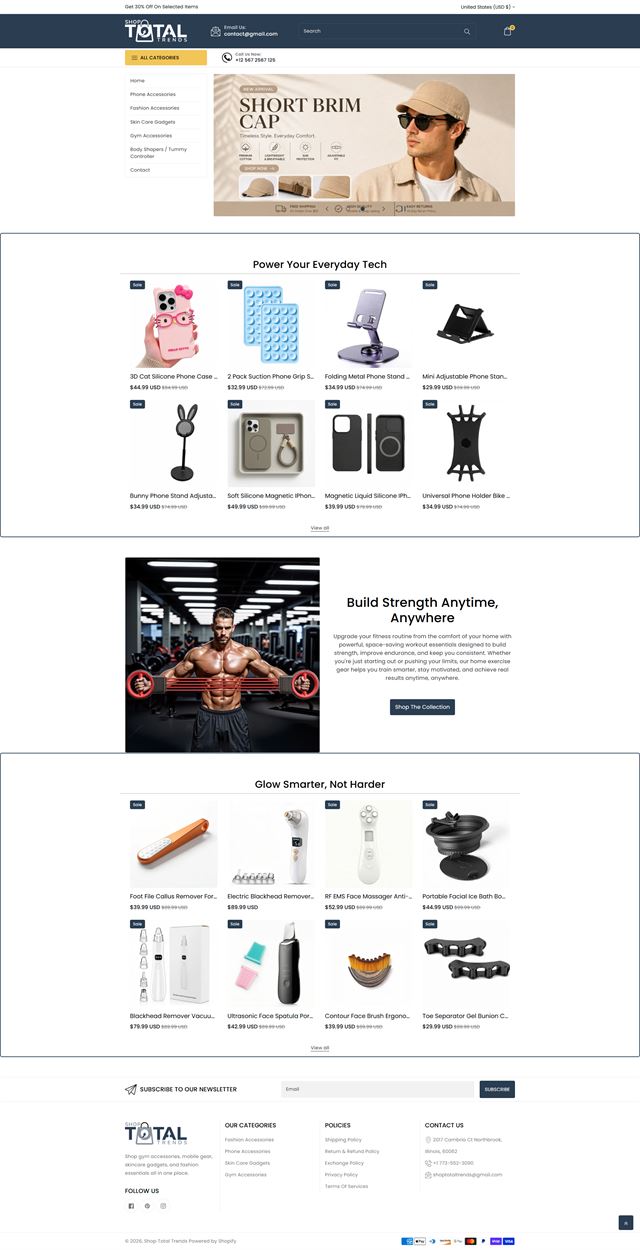
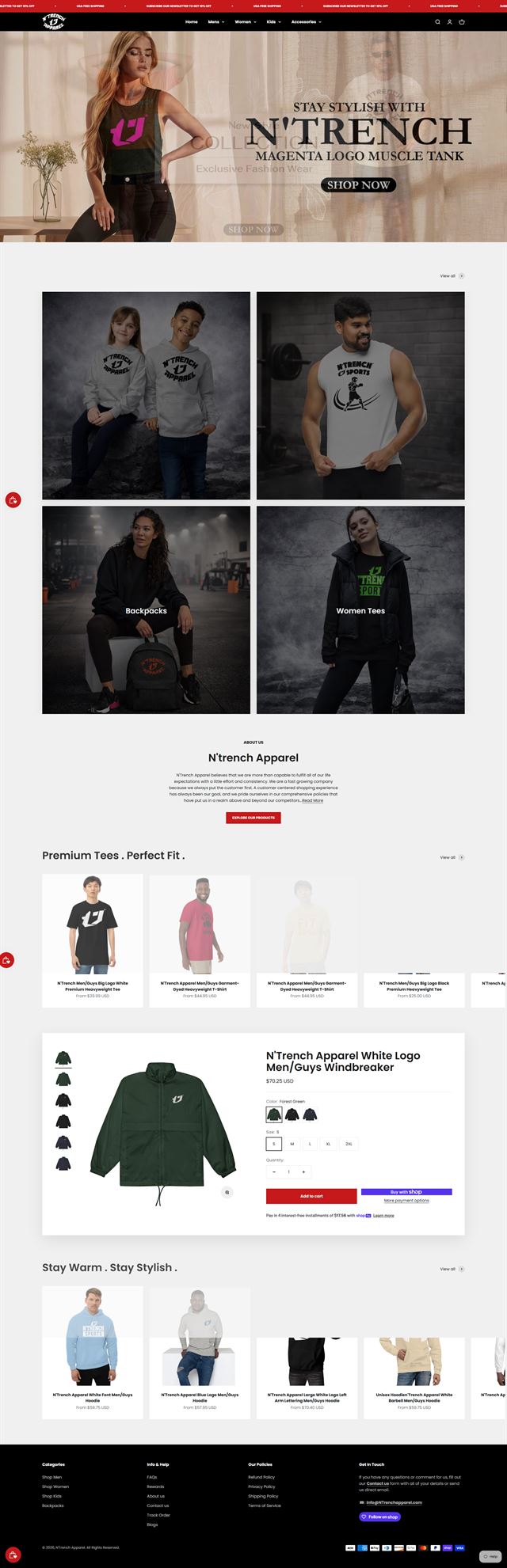
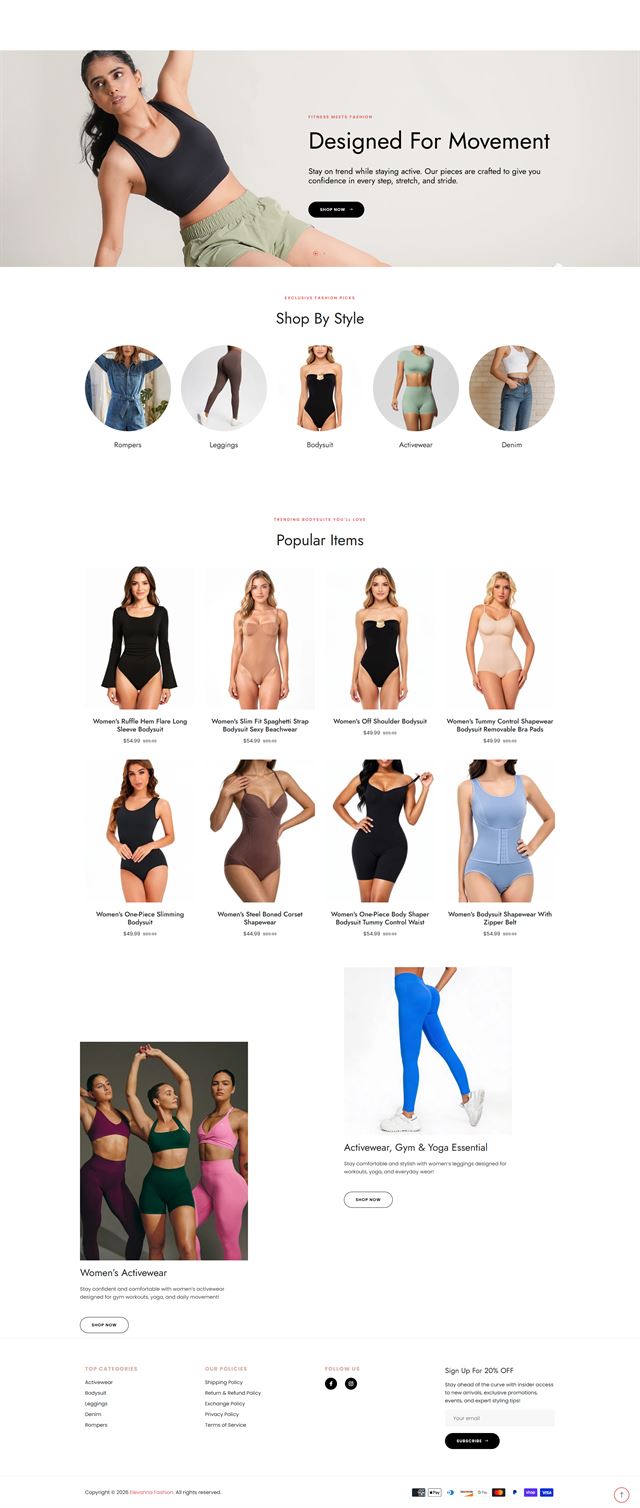
Our BigCommerce portfolio covers stores with very different catalogues and operating needs. Some stay close to the Stencil framework, with custom themes, reusable sections and stronger filtering. Others connect inventory, reviews, marketplaces or multi-channel selling. We use BigCommerce as the engine while the brand and buying path stay distinct, and we recommend headless commerce only when the extra development layer earns its keep. Across the work shown here, the standard stays practical: clear categories, useful product data, fast checkout routes and a back office the team can manage.
Before the build
Plan the store before the Stencil framework
We settle the catalogue, filters, navigation and integrations first. Then Stencil development can focus on the storefront instead of unresolved business decisions.
Product data comes before faceted search
Faceted search is only useful when the product data underneath it is consistent. We map products, variants and attributes before upload, decide which values should become filters, and clean up naming that would otherwise split one idea into several nearly identical choices.
Discuss your store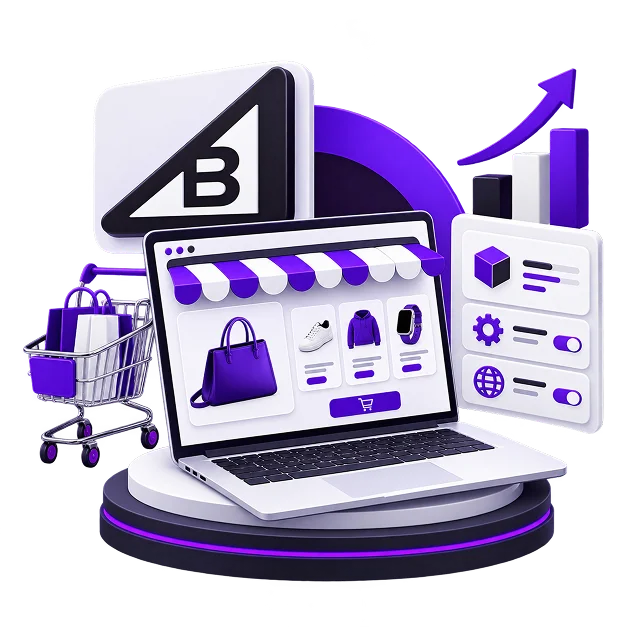
The product page should answer the buyer
Different products are sold by different details. Fashion may need fit and fabric near the top; technical goods may need compatibility or a specification table first. We identify the questions that decide the sale, then build the product template around those questions so the important information does not depend on manual page-by-page fixes.
Discuss your store Navigation should match shopper language
Internal product names often make poor menu labels. We define the top level, the routes underneath it and the rules for new categories using language customers are likely to recognise. The result is navigation that can grow with the range without turning into a list of everything the business happens to sell.
Discuss your store Built-in features before new integrations
Payments, shipping, tax, inventory, reviews, email and sales channels all need a place in the store architecture. BigCommerce already covers part of that work, so we check the built-in features first. Anything missing is connected deliberately, with a clear reason for the added app, API or service.
Discuss your store Your BigCommerce account, your access
Development starts inside your own BigCommerce account. User permissions are scoped to the work, and your team keeps control of the account, catalogue and data throughout. That makes launch a change of status, not a handover exercise where ownership has to be untangled at the end.
Discuss your store Ecommerce development across leading platforms and marketplaces
We provide ecommerce store development across leading platforms and marketplaces, including Shopify, WooCommerce, WordPress, BigCommerce, Magento, Wix, Squarespace, Webflow, OpenCart, Drupal, Joomla, eBay, Etsy and TikTok Shop. Whether you need a new store, a redesign, a migration or help improving an existing storefront, we shape the structure, product experience and integrations around the way each platform works so customers can browse and buy with less friction while your team has a store that is practical to manage.
-
 Shopify
Store development
Shopify
Store development
-
 WooCommerce
Store development
WooCommerce
Store development
-
 WordPress
Ecommerce development
WordPress
Ecommerce development
-
 BigCommerce
You are here
BigCommerce
You are here
-
 Magento
Store development
Magento
Store development
-
 Wix
Ecommerce development
Wix
Ecommerce development
-
 Squarespace
Ecommerce development
Squarespace
Ecommerce development
-
 Webflow
Ecommerce development
Webflow
Ecommerce development
-
 OpenCart
Store development
OpenCart
Store development
-
 Drupal
Ecommerce development
Drupal
Ecommerce development
-
 Joomla
Ecommerce development
Joomla
Ecommerce development
-
 eBay
Store development
eBay
Store development
-
 Etsy
Shop development
Etsy
Shop development
-
 TikTok Shop
Shop development
TikTok Shop
Shop development
BigCommerce developer for hire
From store plan to launch
The work should move in an order that prevents expensive decisions from being discovered late. Each stage produces something the next stage can use.
-
01
Discovery
We learn how the business sells, who buys, what the catalogue contains and which operational rules the storefront has to support. The scope is written down before development starts.
-
02
Store architecture
Categories, filters, navigation, page hierarchy and customer routes are mapped while they are still easy to change.
-
03
UX & visual direction
The brand becomes an ecommerce interface with clear rules for type, spacing, product presentation, states and mobile behaviour.
-
04
Stencil development
We customise the Stencil framework with theme work, templates, widgets and product structures that stay manageable from the BigCommerce control panel.
-
05
Products & multi-channel connections
Products, categories, payments, shipping, inventory and the sales channels your business relies on are configured and connected around one agreed product model.
-
06
Testing
We test mobile and desktop journeys, product options, filters, cart behaviour, forms, payments and shipping paths before the store is opened to customers.
-
07
Launch
Domains, notifications, policies and analytics are checked, then the storefront goes live with a short list of first-week checks rather than a vague handoff.
-
08
Refine
Real search behaviour, orders and support questions show where the next improvements belong. We use that evidence for the next round of work instead of guessing before launch.
Questions
Before you commit to a BigCommerce build
These are the questions that usually decide scope, platform fit and the amount of custom development the store actually needs.
-
Yes. We start with the catalogue, customer journey and operating rules, then define the architecture and visual direction before development begins inside your own BigCommerce account.
-
Yes. We review what already works, keep the parts worth keeping and focus development on the places creating friction, such as navigation, faceted search, product templates, mobile behaviour or integrations.
-
Yes. We can customise an established Stencil theme or create deeper template and widget work where the storefront needs it. The aim is to keep the theme maintainable while giving the brand enough room to look and behave like itself.
-
Yes. We first clean and map the product attributes that will power the filters. Faceted search gets messy quickly when naming is inconsistent, so the data rules are agreed before products are uploaded.
-
Yes, where the selected BigCommerce plan and channel setup support it. We define which products, prices, inventory rules and content are shared and which need to differ, then build the structure around those decisions.
-
Yes. Products, options, categories, customers, content and URL redirects can be migrated. The scope depends on the platform you are leaving, the condition of the product data and how much of the old structure is worth carrying forward.
-
BigCommerce currently says it does not charge payment fees on orders processed through eligible Embedded Payment Providers. Your payment processor still charges its normal processing fees, and some other providers can carry additional platform fees depending on the plan. We check the payment setup during scoping instead of treating “no transaction fees” as a blanket promise.
-
Headless commerce can make sense when the storefront needs a front end or content experience that a standard Stencil build cannot reasonably provide. It also brings a larger development and maintenance commitment, so we recommend it only when the business case is clear.
-
Yes. The store is built in your BigCommerce account, and the catalogue data, customer relationships, approved creative and project files supplied under the agreement remain under your control. Our access can be removed when the work is complete.
-
It depends on catalogue size, custom functionality, migration work, integrations, content readiness and approval speed. We give a schedule against the actual scope rather than attaching the same timeline to every store.
Ready to build?
Turn your BigCommerce plan into a store your team can actually run
Whether you are starting fresh, migrating from another platform or rebuilding a store that has become hard to manage, we can map the structure, develop the storefront and prepare the operation for launch.
We will use the call to map the scope, explain what BigCommerce should handle natively, identify what needs custom development and tell you if another platform would make more sense.