
 Quick addArden Linen Overshirt$124.003 colours
Squarespace ecommerce development
Squarespace ecommerce development for creative brands ready to sell
A good Squarespace store has to do two jobs at once. It should carry the visual character of the brand, but it also needs to make products easy to find, compare and buy. We plan the catalogue, shape the customer journey and build the storefront inside your own Squarespace account so your team can keep using it after launch.
- Squarespace Commerce configured around the catalogue
- A design system tailored to the creative brand
- Built in your account and editable by your team

Squarespace online store setup
Build the buying journey before you style the store
Squarespace is a website builder with strong design controls, but the template does not decide how people shop. That comes from the structure underneath it: what belongs together, what a buyer sees first, where the product detail lives and how quickly a customer can reach checkout. We settle those choices before the page design starts.
What has to be decided first
-
Information architecture
Where products, editorial pages and store content live, with a clear place for anything you add later.
-
Product organisation
Collections, variants and product names arranged around the way customers compare the range.
-
Navigation
Menu labels that make sense to the visitor, not only to the person managing the catalogue.
-
Collection structure
Groupings that help someone narrow a choice without turning the catalogue into a maze.
-
Product presentation
A repeatable pattern for imagery, price, options, details and supporting content.
-
Mobile usability
Layouts checked at phone width first, where many design choices become much less forgiving.
-
Checkout flow
Squarespace Commerce configured around payments, shipping, tax and the path into purchase.
-
Integrations
Only the connections the business needs, with native Squarespace tools used where they already do the job.
Squarespace for selling products
Four screens carry most of the sale
Most product journeys come down to four screens: collection, product, cart and checkout. Each has a different job. We design them as one connected path so the buyer is not forced to relearn the store at every step.
-
01
Collection
The collection page helps a customer cut through the range. We group products in ways that make sense to the buyer, keep filters useful rather than excessive, and make each product card answer the first questions at a glance. For a design-forward store, the grid also has to give photography room without hiding price, availability or the next step.
-
02
Product
This is where interest turns into a decision. We arrange imagery, price, options, product details, delivery information and returns in the order a real buyer is likely to look for them. If the product depends on material, size, finish or fit, the page has to explain that clearly. The aim is simple: fewer unanswered questions before someone clicks add to cart.
-
03
Cart
The cart should confirm the choice and make the next step obvious. Quantities, delivery expectations and any important charges need to be easy to understand before checkout. We keep the page light, remove distractions and make edits straightforward so a customer can change an order without starting again.
-
04
Checkout
Squarespace Commerce handles the checkout itself, so we configure it around the way the business actually sells. That includes payment settings, shipping options, tax setup and the emails that follow an order. We do not try to force the hosted checkout into something it is not. Instead, we make sure the product and cart experience feed into it cleanly.


Hire a Squarespace designer
When the Store Needs More Than a Design Template
A template can give you a starting layout. It cannot decide how your catalogue should work, how much content belongs on a product page, or which parts of the brand deserve visual emphasis. That is where design decisions matter.


Selected Squarespace work
Design-forward stores built around the products
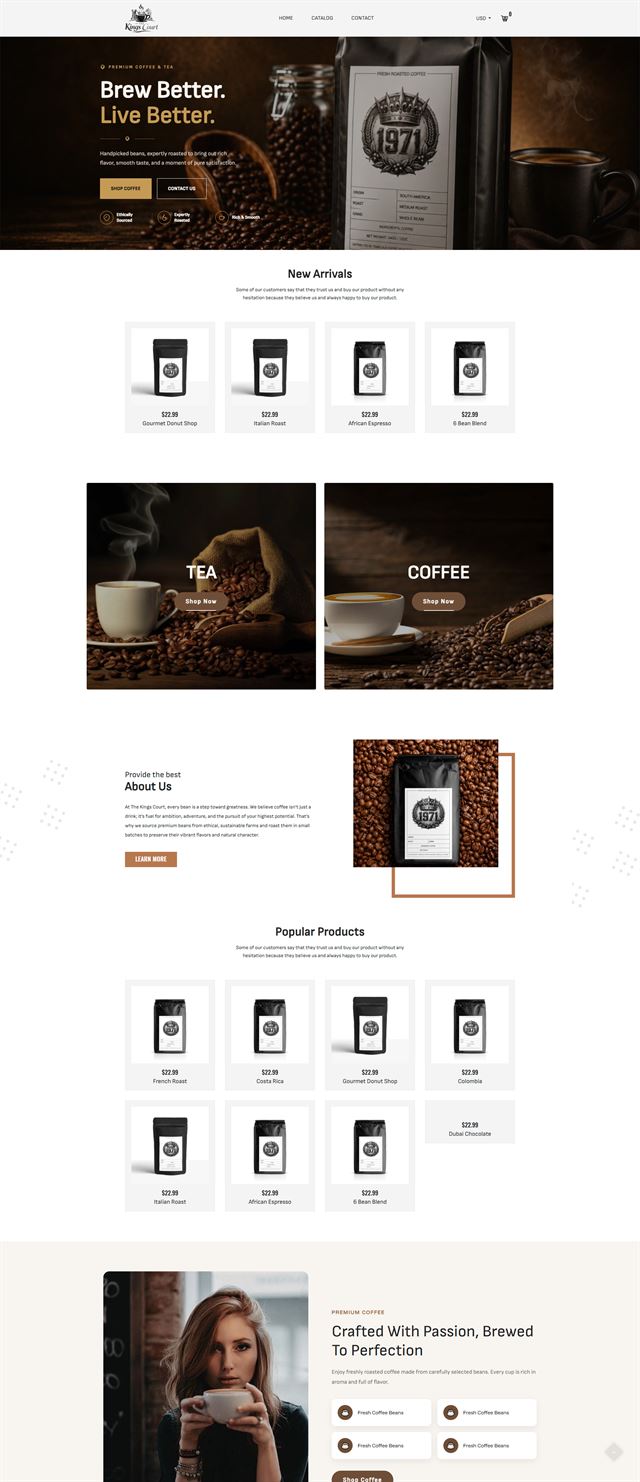
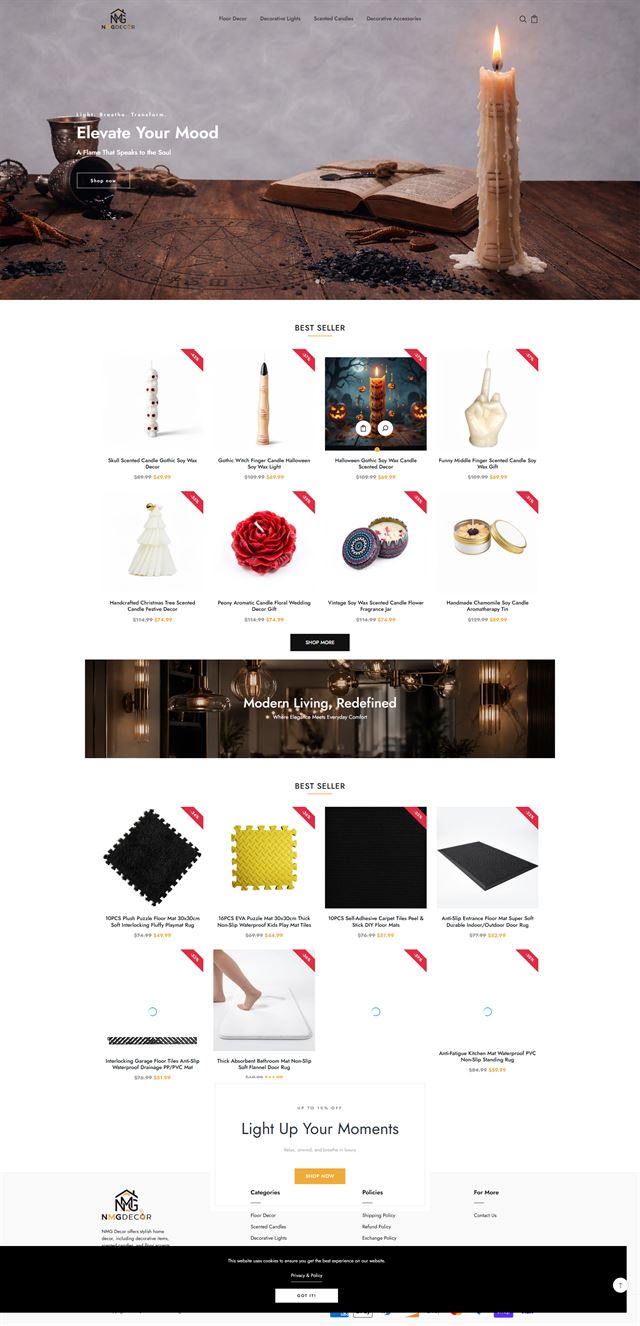
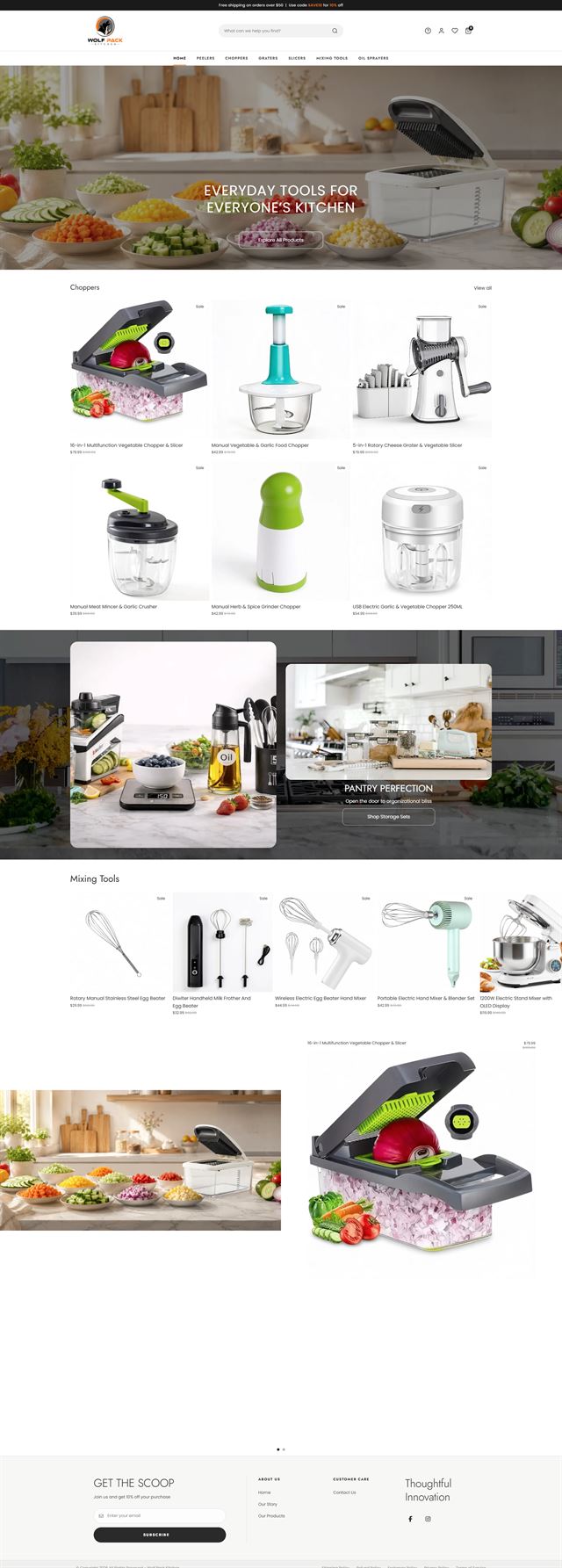
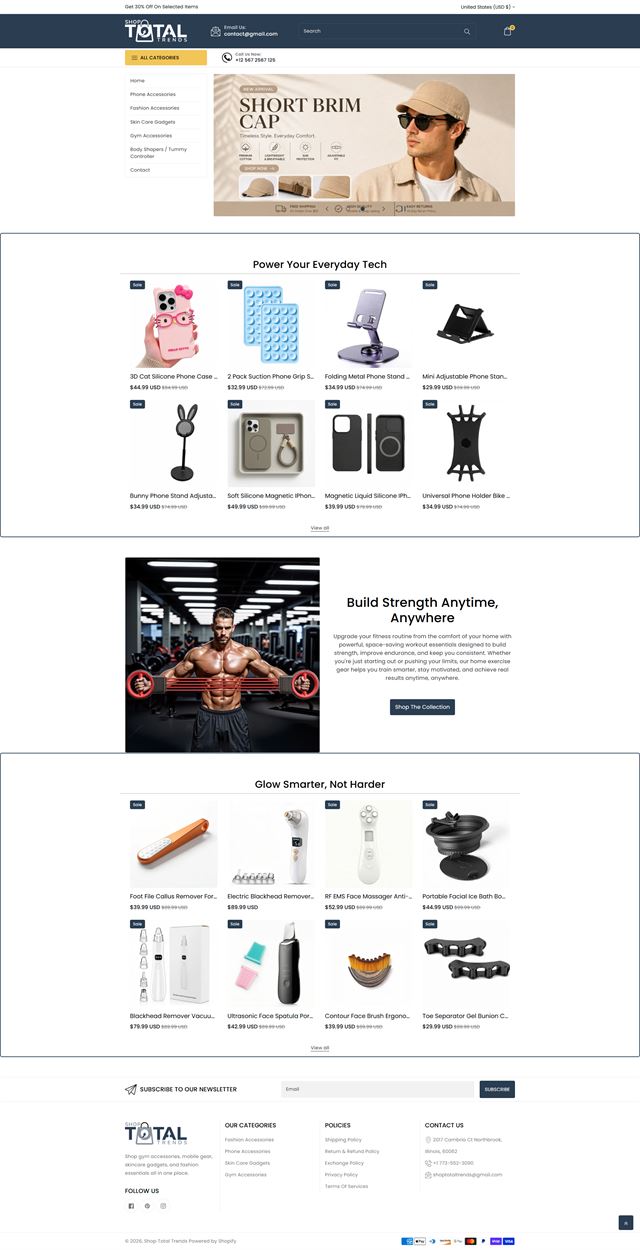
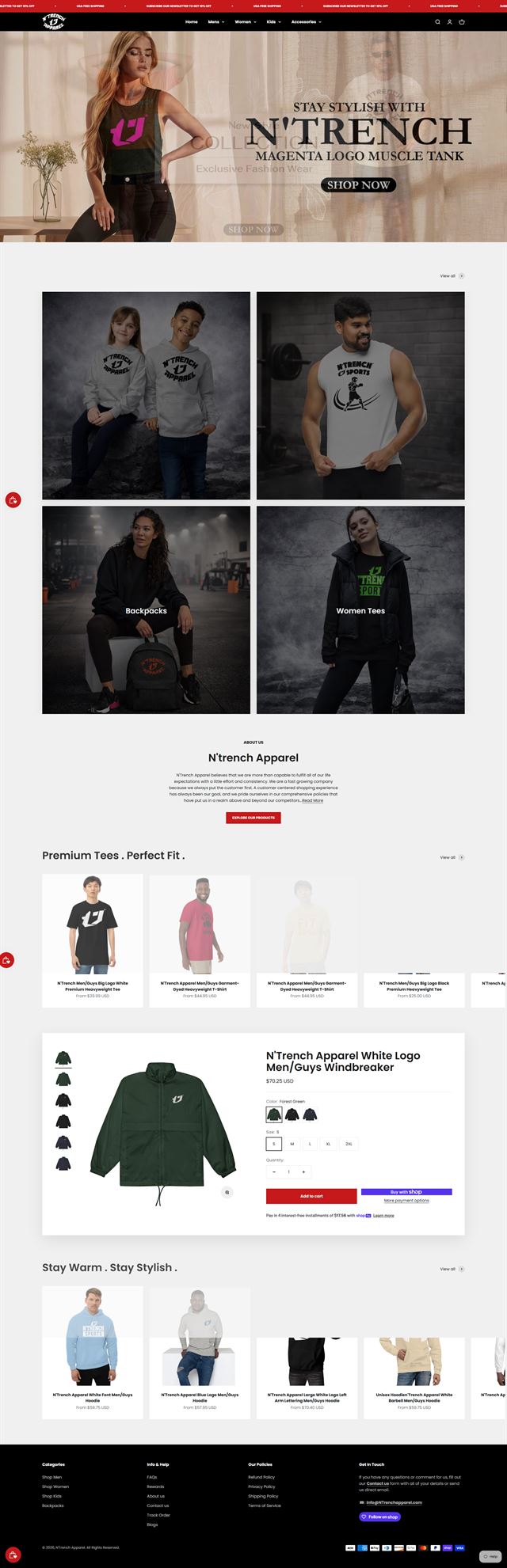
Our Squarespace portfolio covers creative brands that need the website and the store to feel like one experience. Some projects begin as a portfolio-plus-store, where editorial pages, case studies or collections have to lead naturally into products. Others start with a catalogue that already sells, but the design template no longer reflects the brand or the buying journey has become hard to follow. In each case, the work is shaped around what the customer needs to see and what the team needs to manage after launch. We use Squarespace Commerce for the selling layer, then tailor the layout, collection structure, product presentation and supporting content around the actual range. Photography can take the lead where it should, but price, variants, shipping information and calls to action still have to stay easy to find. The projects shown here also reflect the practical side of the platform: a hosted website builder, a controlled design system and an editing experience that a small business team can continue to use without rebuilding the site every season.

Before the build
Squarespace online store setup starts with five decisions
Before we touch the design template, we agree how the catalogue is organised, how customers move through it, what the navigation should say, which systems the store needs to connect to and who will own each part of the setup. That keeps the build grounded in the business rather than in whatever the template happens to suggest.
Map the catalogue before the page layout
We start with what you sell. Product count matters, but the bigger question is how the range divides: variants, collections, sizes, finishes, bundles and anything else a customer uses to compare one item with another. We work from your existing product data where possible and flag gaps before upload, so the structure is settled before the storefront is styled.
Discuss your store
Let the buyer’s questions shape the product page
A product page earns its space by answering the questions that stand between interest and purchase. For some products that means strong photography and a short description. For others, customers need dimensions, care details, lead times or variant information. We decide what deserves priority, then build a product pattern that repeats consistently across the catalogue.
Discuss your store Navigation should sound like the customer
Internal product names rarely make the best menu labels. We structure navigation around the words customers are likely to use, then make sure new products can fit into that system without adding another top-level item every time the range changes.
Discuss your store Connect only what the store needs
Squarespace Commerce already covers much of the basic store operation, so integrations should solve a real gap. We review payments, shipping, email marketing, scheduling and the other tools the business relies on, then decide what can stay native and what needs a supported connection. The result is easier to manage than a site carrying extra tools simply because they were available.
Discuss your store Build inside your account
The store is developed inside your own Squarespace account, with the plan and domain held in your name. We use contributor permissions for the project rather than shared credentials. That means the site does not need to be transferred after launch, and your team keeps control of the account, data and day-to-day editing from the start.
Discuss your store Ecommerce development across leading platforms and marketplaces
We provide ecommerce store development across leading platforms and marketplaces, including Shopify, WooCommerce, WordPress, BigCommerce, Magento, Wix, Squarespace, Webflow, OpenCart, Drupal, Joomla, eBay, Etsy and TikTok Shop. Whether you need a new store, a redesign, a migration or help improving an existing storefront, we shape the structure, product experience and integrations around the way each platform works so customers can browse and buy with less friction while your team has a store that is practical to manage.
-
 Shopify
Store development
Shopify
Store development
-
 WooCommerce
Store development
WooCommerce
Store development
-
 WordPress
Ecommerce development
WordPress
Ecommerce development
-
 BigCommerce
Store development
BigCommerce
Store development
-
 Magento
Store development
Magento
Store development
-
 Wix
Ecommerce development
Wix
Ecommerce development
-
 Squarespace
You are here
Squarespace
You are here
-
 Webflow
Ecommerce development
Webflow
Ecommerce development
-
 OpenCart
Store development
OpenCart
Store development
-
 Drupal
Ecommerce development
Drupal
Ecommerce development
-
 Joomla
Ecommerce development
Joomla
Ecommerce development
-
 eBay
Store development
eBay
Store development
-
 Etsy
Shop development
Etsy
Shop development
-
 TikTok Shop
Shop development
TikTok Shop
Shop development
How we build
From brief to a live Squarespace Commerce store
The work moves through eight practical stages. Each one resolves something the next stage depends on.
-
01
Discovery
We review the business, the audience, the products, the existing content and the way orders are handled. The scope is written down before design begins.
-
02
Store architecture
Collections, navigation, page hierarchy and customer paths are agreed while they are still easy to change.
-
03
Visual direction
We translate the creative brand into a store system: typography, spacing, image treatment, section patterns and product presentation.
-
04
Squarespace Commerce build
The storefront is built section by section. We configure the catalogue, adapt the design template, add custom styling where it genuinely helps and keep routine editing within the tools your team can manage.
-
05
Products & connections
Products, variants, collections, payments, shipping and the supporting services you already use are configured and connected.
-
06
Testing
We test the customer journey on mobile and desktop, including product options, links, cart behaviour, forms and the path into checkout.
-
07
Launch
The domain, store notifications, policies and analytics are checked before the site goes live. We also agree what should be watched during the first days of trading.
-
08
Post-launch review
Once real customers use the store, we review what the behaviour shows and turn useful findings into the next round of work rather than guessing before launch.
Questions
Before you hire a Squarespace designer
These are the questions we usually settle before a Squarespace ecommerce development project begins.
-
Yes. We start with the catalogue, the audience and the way the business sells. Once the structure and visual direction are agreed, we build the store inside your Squarespace account, configure Squarespace Commerce and prepare the core pages for launch.
-
Yes. We first work out what is worth keeping. A redesign may involve the navigation, collections, product page, mobile layout or the visual system rather than rebuilding every page simply because the site is older.
-
A design template is a starting framework, not the finished store. We adjust the page structure, type, spacing, imagery and commerce sections around the brand and catalogue instead of treating the default arrangement as fixed.
-
Yes, where the platform supports it and the change solves a clear problem. We prefer custom styling that stays maintainable. If a requirement would push the hosted platform too far, we will say so rather than hide the limitation behind fragile code.
-
It works well for many small business stores and creative brands with manageable catalogues, strong photography and a team that wants straightforward editing. It becomes less comfortable when the catalogue needs very complex product logic, unusually deep integrations or enterprise-scale operations. We assess that fit before recommending the build.
-
Yes. We can plan the move of products, variants, categories, content and URL redirects. What transfers cleanly depends on the platform you are leaving and the condition of the product data, so we review that before the migration is scoped.
-
Yes. Product setup is part of the build. We can configure variants, images, descriptions, collections and shipping rules from the information you provide, and we flag missing product data before it reaches the live store.
-
That is part of the way we build it. Reusable sections, product patterns and everyday editing stay within Squarespace wherever possible. We also walk the people who will manage the site through the areas they will actually use.
-
Yes. The project is built in your account on your plan and domain. We work with the access you grant us, and you can remove that access without affecting ownership of the site or its data.
-
Timing depends on catalogue size, content readiness, custom design requirements and the speed of approvals. Photography often affects the schedule for design-forward stores because the layout cannot be judged properly until the real imagery is available. We set the timeline around the actual scope rather than a standard package number.
Ready to sell?
Turn your Squarespace site into a store that fits the brand and the buyer
Whether you are adding commerce to an existing portfolio, replacing a generic template build or starting a new creative brand, we can define the structure, design the storefront and prepare Squarespace Commerce for launch.
On the call, we will explain what we would build, what we need from you and whether Squarespace is the right platform for the store you have in mind.