
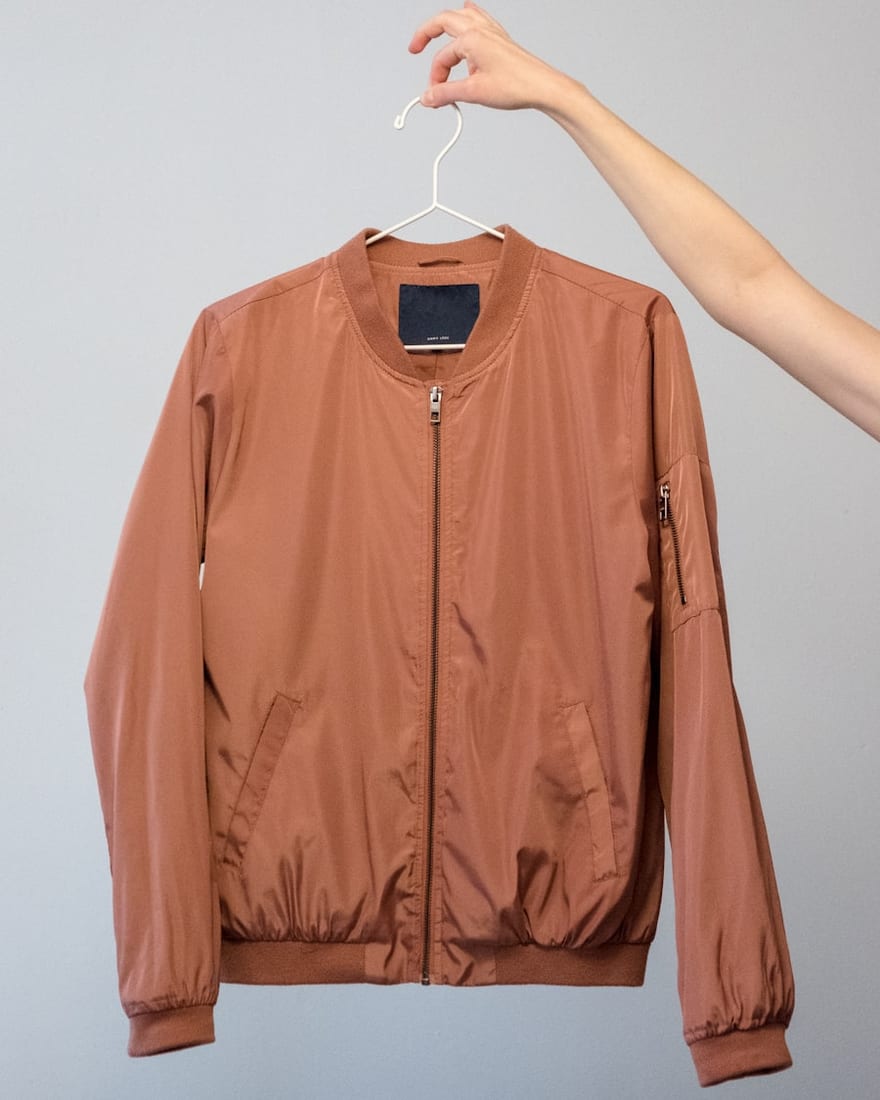
 Quick addArden Linen Overshirt$124.003 colours
Webflow ecommerce development
Webflow ecommerce development for stores where design and commerce work as one
We build Webflow Ecommerce stores around the catalogue, the buying journey and the way your team will manage the site after launch. You get the design freedom Webflow is known for, with CMS collections, reusable classes and product templates organised so future edits do not unravel the build.
- Visual design with a reusable system
- CMS collections your team can manage
- Your Webflow workspace stays yours

Webflow store setup
Webflow store setup starts with the buying journey
A Webflow store setup can look impressive and still make customers work too hard. Before we draw screens, we map how someone moves from a first visit to a collection, product, cart and checkout. That route decides the navigation, the CMS structure and what each page needs to answer.
What shapes the purchase
-
Information architecture
A clear place for every product, page and CMS collection.
-
Product organisation
Names, variants and categories that make sense to shoppers and editors.
-
Navigation
Menus written around buying intent rather than internal labels.
-
Collection structure
Useful groupings that help people narrow the range.
-
Product presentation
A repeatable layout for imagery, options, details and proof.
-
Mobile usability
The buying journey planned for smaller screens from the start.
-
Checkout flow
Shipping, tax and payment settings matched to the way the business sells.
-
Visual development
No-code design and custom interactions used with a clear purpose.
The buying journey
Four screens carry most of the sale
Collection, product, cart and checkout each answer a different question. We design the handoff between them so the customer does not have to relearn the store at every step.
-
01
Collection
This is where a large catalogue starts to feel manageable. We plan categories, sorting, product cards and the information that should be visible before a shopper opens a product. The grid needs to make price, availability, options and product differences easy to scan without turning the page into a wall of labels.
-
02
Product
The product page carries the decision. We structure imagery, price, variants, delivery information and the details that remove hesitation, then turn that structure into a reusable Webflow Ecommerce template. The aim is consistency across the catalogue without making every product feel identical.
-
03
Cart
The cart confirms the choice and makes the next step obvious. Quantities, delivery expectations and any cost that can be known at this stage should be clear here. A customer should be able to make a small change without losing their place or wondering what the store will add later.
-
04
Checkout
We configure the Webflow Ecommerce checkout around the store’s payment, shipping and tax requirements, then test the route into it from real product and cart states. The checkout itself should feel like the final step of the same store, not a sudden change of context.

When development earns its place
When to Hire A Webflow Developer
Webflow gives teams a visual way to build, but ecommerce projects can still become hard to manage when classes, CMS collections and custom interactions grow without a system. Development should make future changes easier, not lock the team into one person.

Portfolio
Selected Webflow ecommerce work
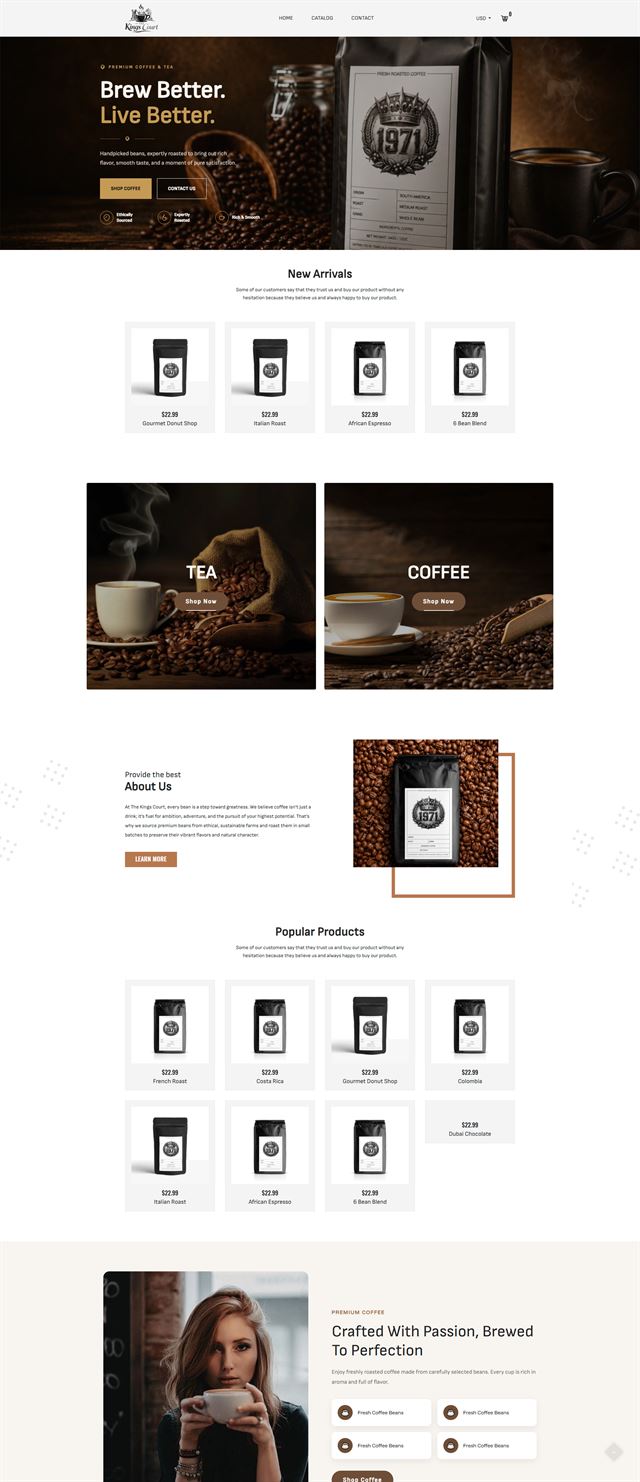
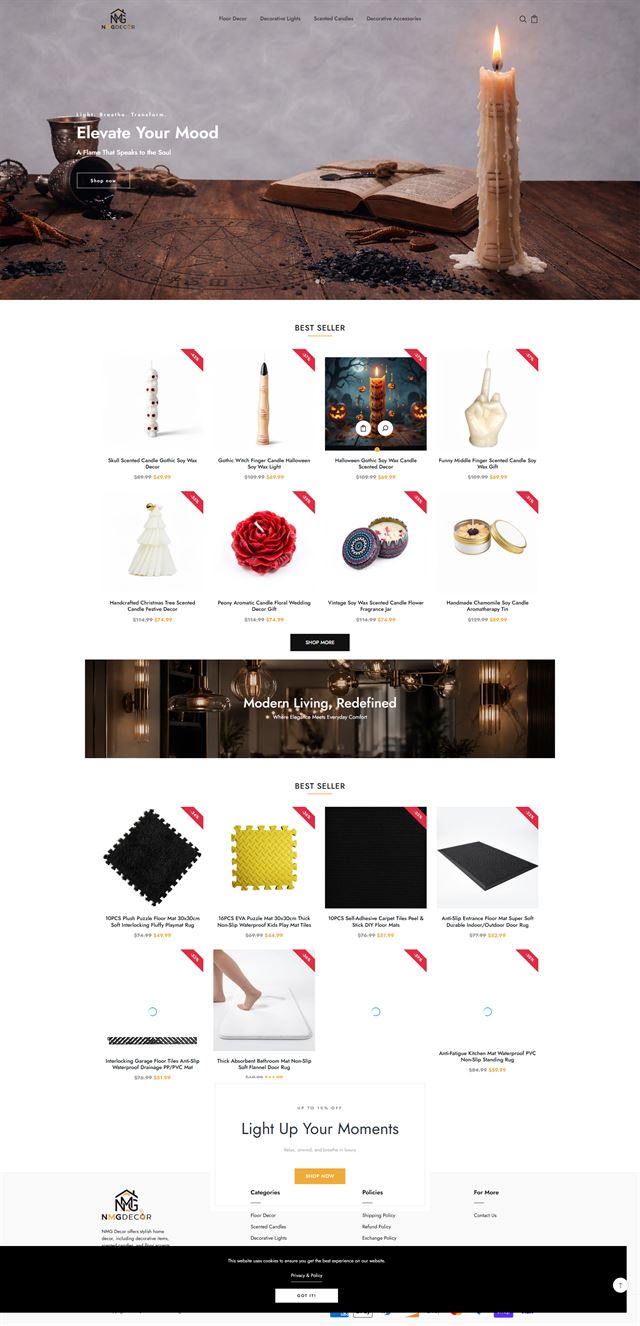
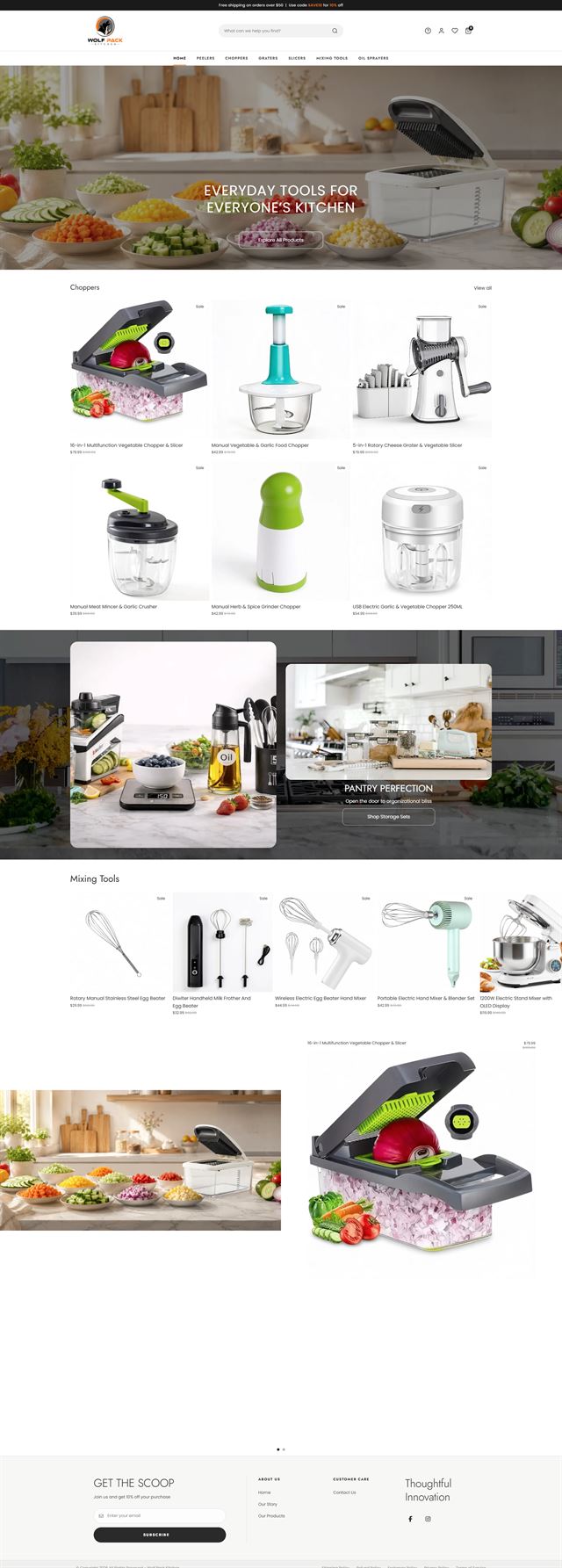
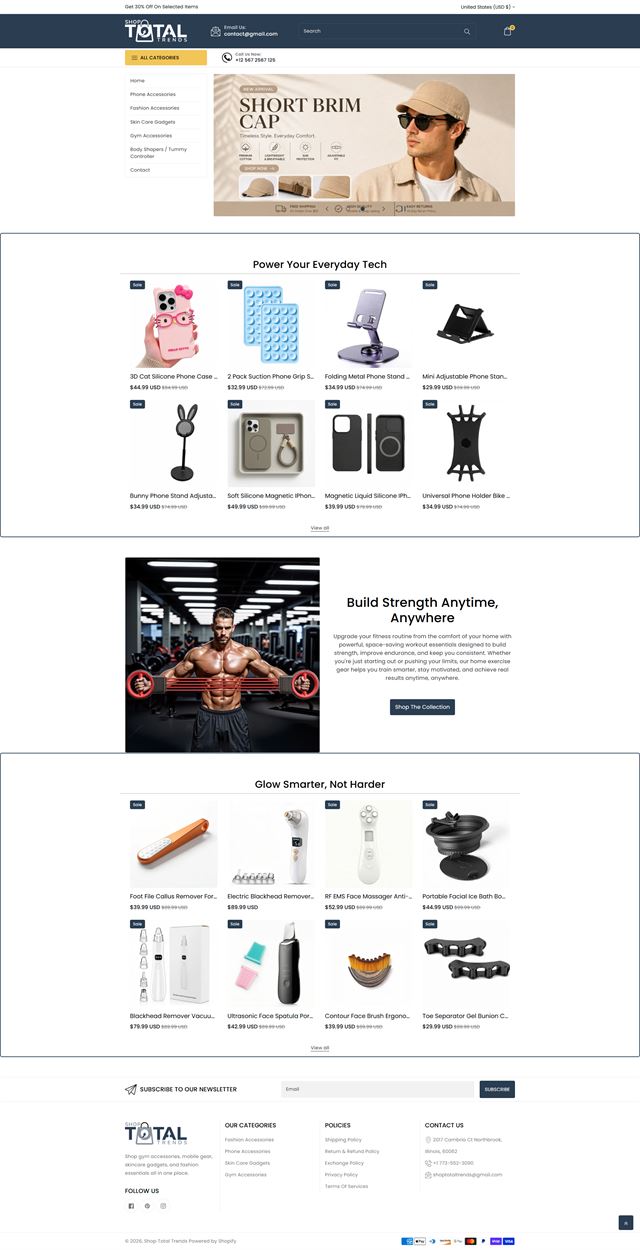
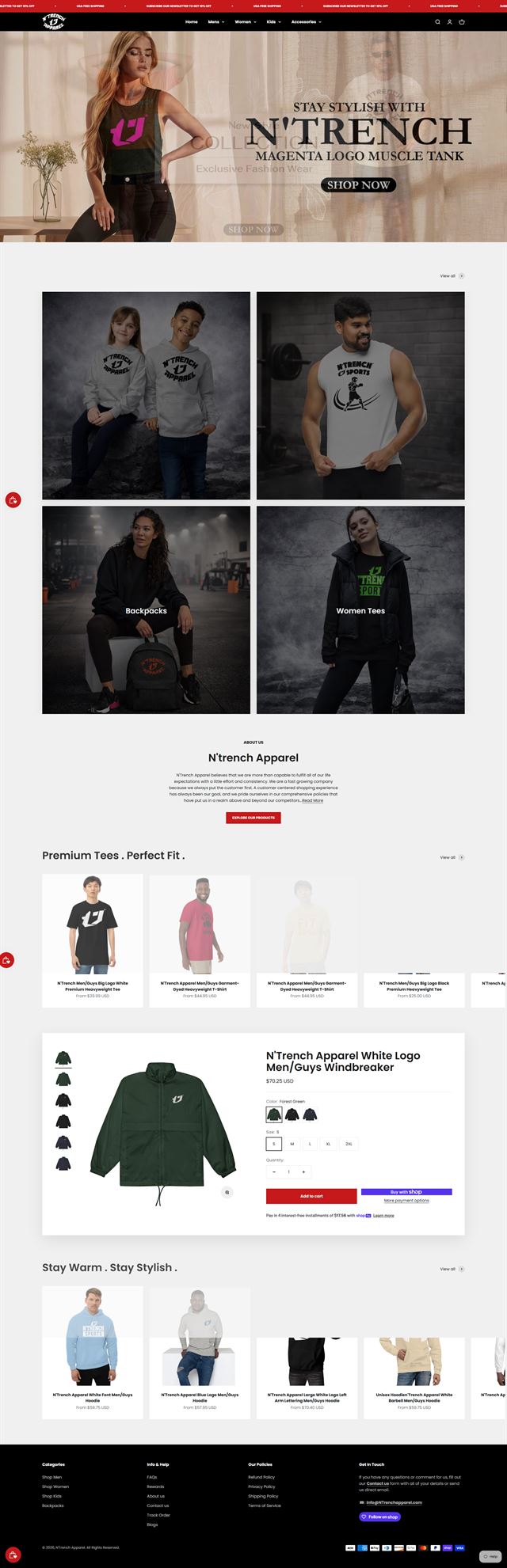
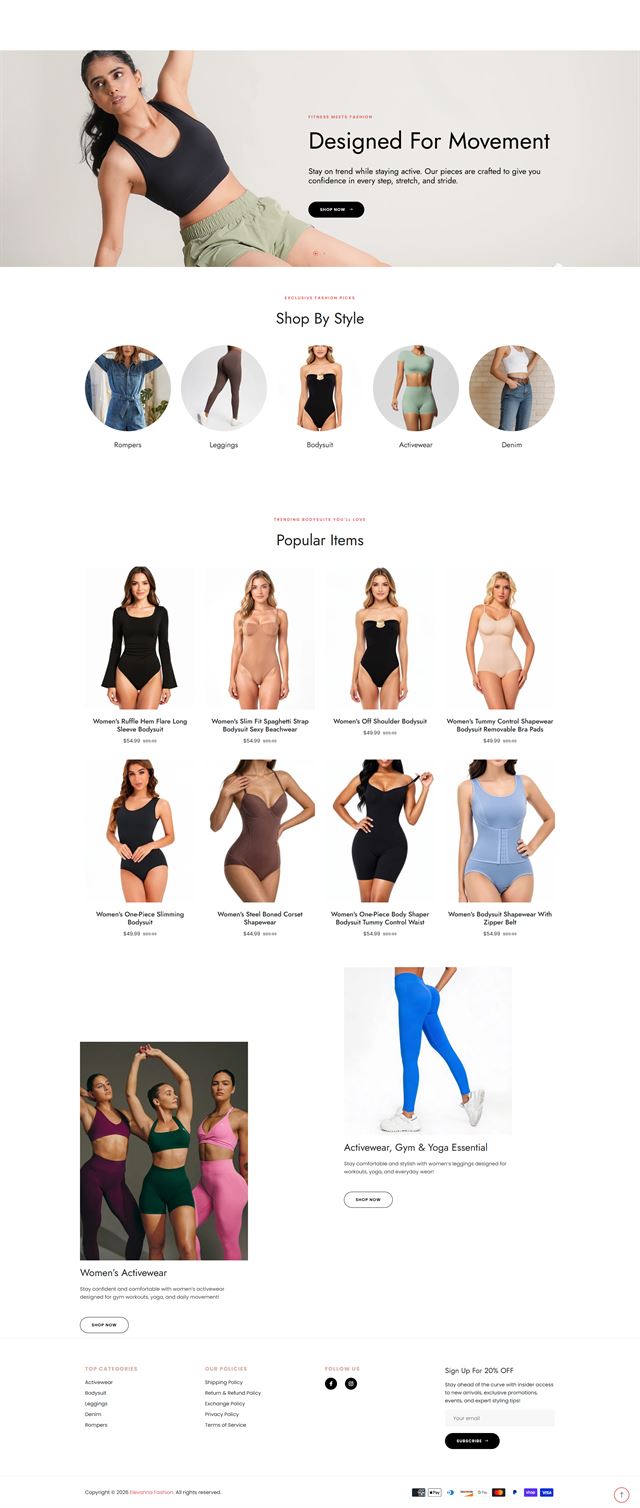
Our Webflow ecommerce work varies because the catalogue and the brand should dictate the build. Some projects need a restrained product grid with editorial CMS collections sitting beside the store. Others need custom interactions, landing pages for launches, or a visual design system that can stretch across product, campaign and content pages without turning the Designer into a maze. The examples shown here represent that range. We build reusable classes and product templates so new content can be added without recreating the layout every time. Where Webflow’s no-code design tools are enough, we keep the solution inside them. Where a specific interaction or connection needs code, we add only what the store can support cleanly. The result should still make sense to the person editing the site six months later, when the original launch energy has worn off and the day-to-day work has begun.
Before the build
Webflow vs Shopify: choose the platform before the design starts
Webflow vs Shopify is less useful as a feature checklist than as an operating question. Webflow is a strong fit when visual design, content and flexible page composition carry a large part of the brand experience. Shopify often suits stores whose brief is dominated by deeper commerce operations and a broad app ecosystem. We look at catalogue size, variant logic, merchandising, content, integrations and who will maintain the site. If Webflow Ecommerce fits the real brief, we build there. If the project would depend on workarounds from day one, we recommend a better fit before design starts.
Start with the product data
We review product count, variants, categories, option logic and the fields the team will need to maintain later. That tells us how Webflow Ecommerce and CMS collections should be structured, what can be reused, and where a catalogue may be pushing beyond a sensible Webflow setup.
Discuss your store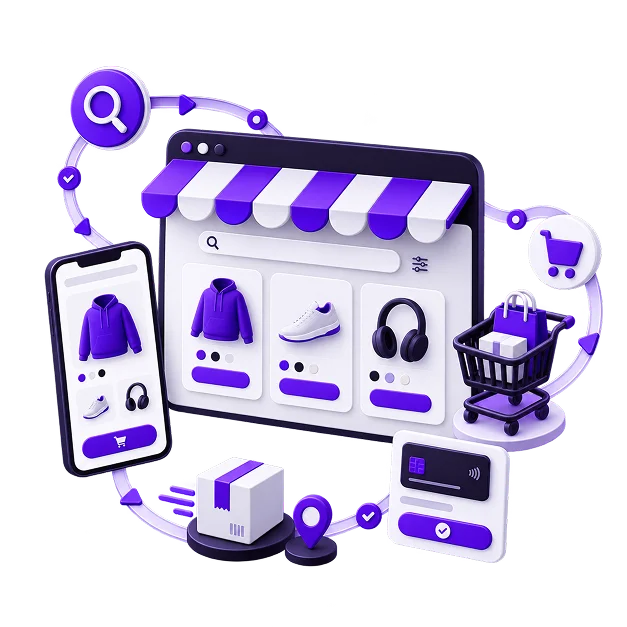
How your customer actually decides
A shopper should not have to hunt for the facts that make or break the purchase. We identify what matters before payment, such as sizing, compatibility, delivery, materials or availability, then place those answers where the decision happens. The product template carries that logic across the range.
Discuss your store The menu should match the way people shop
Internal product names often make poor navigation. We define the main routes in language customers recognise, decide what belongs underneath each route, and plan where new categories can go later. A good menu can grow without becoming a list of exceptions.
Discuss your store What the store needs to talk to
Payments, shipping, email, analytics, fulfilment and the systems already used by the business all affect the build. We check those requirements before promising integrations. When Webflow can handle the connection cleanly, we configure it. When it needs an external service or custom code, that becomes part of the scope rather than a surprise near launch.
Discuss your store Build inside the workspace you own
The project is created in your Webflow workspace and connected to the plan and domain you control. Access is granted for the work, not shared through a common login. The handover is simple because there is no agency-owned project waiting to be transferred at the end.
Discuss your store Ecommerce development across leading platforms and marketplaces
We provide ecommerce store development across leading platforms and marketplaces, including Shopify, WooCommerce, WordPress, BigCommerce, Magento, Wix, Squarespace, Webflow, OpenCart, Drupal, Joomla, eBay, Etsy and TikTok Shop. Whether you need a new store, a redesign, a migration or help improving an existing storefront, we shape the structure, product experience and integrations around the way each platform works so customers can browse and buy with less friction while your team has a store that is practical to manage.
-
 Shopify
Store development
Shopify
Store development
-
 WooCommerce
Store development
WooCommerce
Store development
-
 WordPress
Ecommerce development
WordPress
Ecommerce development
-
 BigCommerce
Store development
BigCommerce
Store development
-
 Magento
Store development
Magento
Store development
-
 Wix
Ecommerce development
Wix
Ecommerce development
-
 Squarespace
Ecommerce development
Squarespace
Ecommerce development
-
 Webflow
You are here
Webflow
You are here
-
 OpenCart
Store development
OpenCart
Store development
-
 Drupal
Ecommerce development
Drupal
Ecommerce development
-
 Joomla
Ecommerce development
Joomla
Ecommerce development
-
 eBay
Store development
eBay
Store development
-
 Etsy
Shop development
Etsy
Shop development
-
 TikTok Shop
Shop development
TikTok Shop
Shop development
How we build
From store strategy to launch
The work moves in stages so design, content and commerce decisions are settled before they become expensive to change.
-
01
Discovery
We learn the business, the catalogue, the customers and the way orders are handled. The brief records what the store needs to do before design begins.
-
02
Store architecture
We map navigation, collections, page hierarchy and CMS collections, then agree how customers and editors will move through them.
-
03
Visual design
The brand becomes a working interface with rules for type, spacing, imagery, states and product presentation.
-
04
Visual development
We build in Webflow with a reusable class system, structured CMS collections and custom interactions only where they improve the experience.
-
05
Products and integrations
Products, categories, payment settings, shipping and required services are configured against the approved structure.
-
06
Testing
We test mobile and desktop routes, variants, forms, links, cart behaviour and the path into checkout before launch.
-
07
Launch
Domain settings, analytics, notifications and final content are checked, then the store goes live with a short launch checklist for the team.
-
08
Refine
Real use reveals what deserves the next round of work. We use those observations to adjust content, merchandising and interaction details instead of guessing in advance.
Questions
Before you commit to the build
A few practical questions usually decide whether Webflow is the right platform and what the project should include.
-
Yes. We can plan the catalogue, buying journey, CMS collections and visual design, then build the store inside your Webflow workspace. The structure is agreed before production so design decisions are not made page by page.
-
Yes. We first identify what is worth keeping. Common problems are duplicated classes, tangled CMS collections, inconsistent product templates and custom interactions that are harder to maintain than they need to be. We rebuild only the parts that are holding the site back.
-
No. Webflow is strongest when design freedom and content are central to the experience and the commerce requirements fit the platform cleanly. We review catalogue size, variants, integrations and operational needs during scoping. If another platform suits the brief better, that should be clear before development begins.
-
Yes, when the behaviour has a clear job. We use Webflow’s native visual development tools first, then add code or an external service where the requirement genuinely sits outside them. Heavy workarounds usually make a hosted project harder to maintain.
-
Yes. CMS collections and editable content areas are structured around the people who will use them. Your team can update products and supporting content without rebuilding layouts or touching parts of the Designer they do not need.
-
Yes, where the catalogue and required features fit Webflow Ecommerce. We review products, variants, categories, content and redirects before migration so the scope reflects what can transfer cleanly and what needs to be rebuilt.
-
Yes. Product setup, imagery, descriptions, categories and CMS collections can all be part of the build. We work from existing data where it is usable and identify missing fields before upload.
-
Webflow hosts the project on a plan connected to your workspace. We choose the plan around the store’s actual catalogue, traffic and feature needs rather than defaulting to the largest option.
-
Yes. The project, CMS content, product data and approved creative stay in your workspace. We use the access you grant for the build, and you can change or remove that access at any time.
-
The schedule depends on catalogue size, content readiness, custom interactions, integrations and the speed of approvals. We set the timeline after discovery because a small design-led store and a content-heavy Webflow Ecommerce build do not need the same amount of work.
Ready to build?
Build a Webflow store that your team can keep moving forward
Whether you are starting from scratch, rebuilding a difficult Webflow project or moving from another platform, we can map the store, design the experience and build the structure your team will use after launch.
The first call is about fit. We will explain what we would build, what we need from you and whether Webflow Ecommerce is the right home for the store.